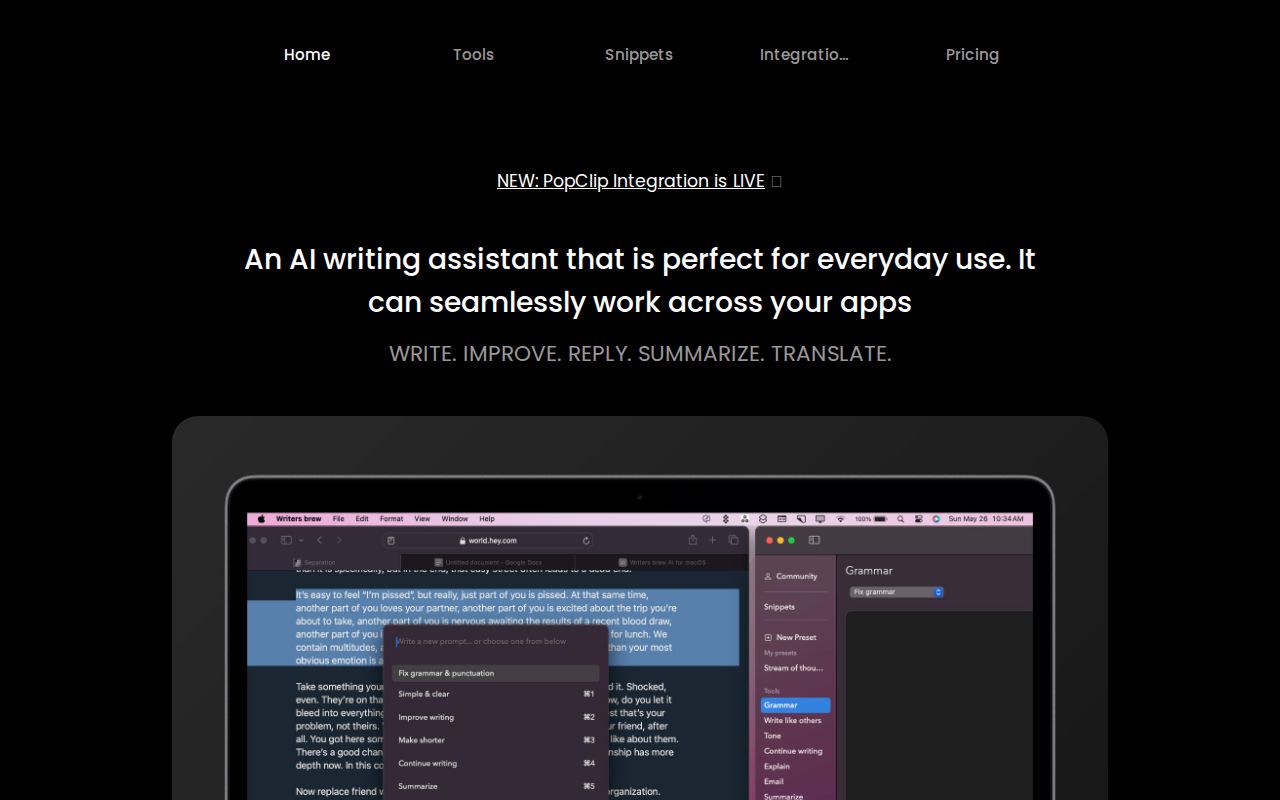
Writers Brew: Affordable AI Writing Assistant for macOS
Writers Brew is a budget-friendly macOS AI writing assistant that works across every app, letting you write, edit, translate, and summarize using your own OpenAI key.
Overview
Writers Brew is a native macOS AI writing companion built to slot into your existing workflow rather than force you into a new one. Because it runs on your own OpenAI API key, it delivers the same GPT-3.5, GPT-4, and GPT-4o power as premium writing tools like Jasper or CopyAI, but at a fraction of the cost—reportedly 10x to 100x cheaper. It works system-wide across browsers, native macOS apps, and Electron apps, so you never have to switch context to get writing help.
Beyond core AI prompts for rewriting, summarizing, explaining, replying, and translating text, Writers Brew bundles handy non-AI utilities, text snippets for repetitive typing, and an OCR-to-text feature that pulls text straight out of images. Power users can go further with BYOP (Build Your Own Presets), crafting custom prompts tailored to their exact workflow, and connecting the app to Raycast or PopClip for even faster access.
Whether you're polishing an essay, drafting a social post, replying to messages, or digesting a dense research article, Writers Brew aims to be the quiet, always-available assistant sitting in your menu bar—ready the moment you highlight text and hit a shortcut.
Capabilities & Features
- AI writing assistant
- macOS app
- text editor
- productivity tool
- AI prompts
- text snippets
- OCR
- translation
- summarization
- rewriting
- OpenAI
- Raycast
- PopClip
Core Features
- AI Prompts for rewriting, explaining, summarizing, translating, and replying
- Non-AI text manipulation utilities for quick edits
- Snippets for automating repetitive typing tasks
- OCR to Text AI for extracting text directly from images
- BYOP (Build Your Own Presets) for fully custom prompt creation
- Native integrations with Raycast and PopClip
Use Cases
- Polishing everyday emails, messages, and documents
- Speeding up repetitive writing with automated snippets
- Pulling text out of screenshots and images via OCR
- Drafting articles, essays, and social media content
- Summarizing long articles or research papers
- Translating text between languages on the fly
Best For
- Product Managers
- Writers
- Students
- Researchers
- Marketing Professionals
- Content Creators
Pros
- •Dramatically cheaper than subscription-based AI writing tools since it uses your own OpenAI key
- •Works across virtually any macOS app, browser, or Electron app
- •Multiple access methods (Spotlight, menu bar, shortcuts) fit different workflows
- •Custom preset creation (BYOP) allows tailored, repeatable prompts
- •Built-in OCR removes the need for a separate text-extraction tool
Cons
- •Requires users to bring and manage their own OpenAI API key, adding setup complexity
- •Only available on macOS, leaving Windows and Linux users unsupported
- •Quality of output is dependent on the OpenAI model chosen and its usage costs
- •No native mobile app for on-the-go writing assistance
How to Use
Install Writers Brew on macOS 14.0 or later and connect your own OpenAI API key. Access the tool via Spotlight search, the menu bar icon, the full app window, or global keyboard shortcuts. To use it, simply highlight any text in any app, trigger your chosen shortcut, and select an AI prompt, utility, translation, or custom preset. Results are applied instantly, without needing to copy-paste into a separate browser tab or app.
Frequently Asked Questions
Open in AI Studio
Ask our AI to evaluate if Writers Brew fits your specific workflow.
Pricing
Writers Brew offers a discounted Pro plan at $24 (40% off the regular $39), plus a 2-license bundle available for $29.
Pricing data is provided as a summary. Visit the vendor website for full tier details.