VisionMorpher: AI Generative Image Filler & Editor
VisionMorpher lets you reshape images with AI—draw, erase, and prompt your way to new visuals in seconds.
Overview
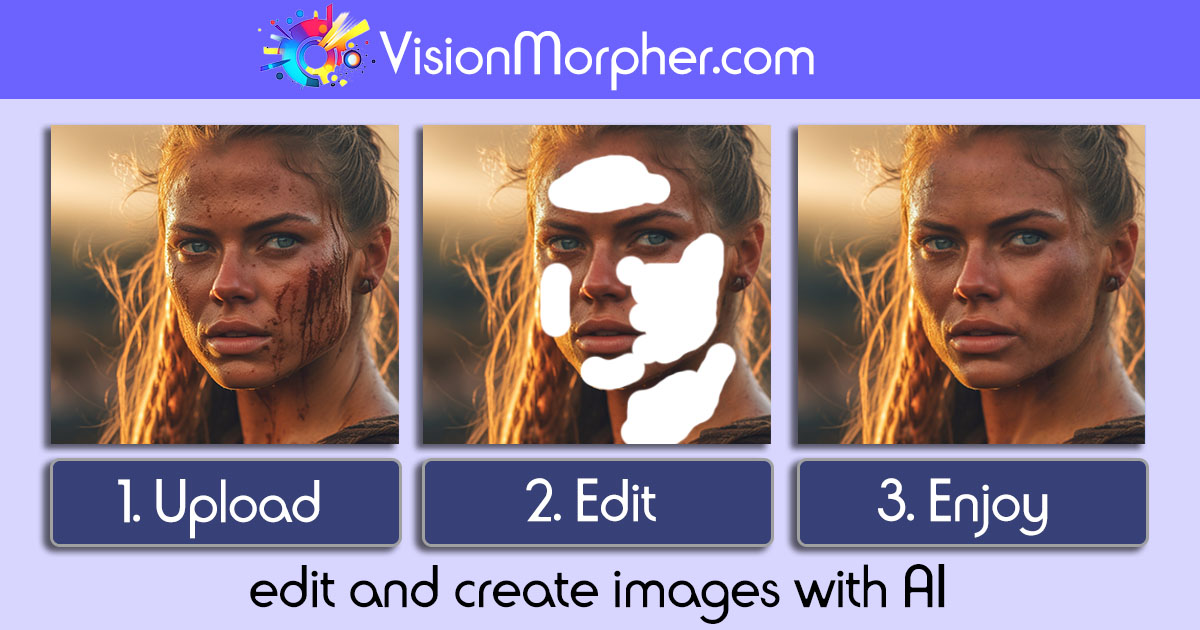
VisionMorpher is a generative AI image editing tool built for anyone who wants to transform visuals without touching complex design software. Simply upload a photo, mark the areas you want to change by drawing or erasing, and describe your desired outcome using a text prompt. The AI then fills in, replaces, or removes elements to match your vision, turning ordinary images into polished, creative visuals in just a few clicks.
Whether you're cleaning up a product photo, swapping backgrounds, or adding imaginative elements to a design, VisionMorpher streamlines what used to require advanced Photoshop skills. Its intuitive workflow—upload, mark, prompt, generate—makes AI-powered image manipulation accessible to designers, marketers, and everyday creators alike, all while keeping a saved history of generated images for easy access later.
Capabilities & Features
- AI image editing
- Generative image filler
- Image manipulation
- Text-to-image
- Image enhancement
- AI image generation
Core Features
- AI-powered generative image filling
- Draw and erase tools for precise area selection
- Text prompt-based image manipulation
- Ability to add, remove, or replace image elements
- Saved image history on user profile
Use Cases
- Quickly generating polished visuals from raw or unfinished images
- Removing unwanted objects or people from photos using text prompts
- Adding new elements or backgrounds to existing images
- Replacing outdated or low-quality image sections with AI-generated content
- Creating social media-ready graphics without manual editing skills
Best For
- Graphic designers
- Digital artists
- Content creators
- Social media managers
- Marketing professionals
Pros
- •Simple upload-draw-prompt workflow requires no advanced editing skills
- •Flexible AI editing supports adding, removing, and replacing content
- •Saved image history makes it easy to revisit past creations
- •Useful across multiple creative and marketing use cases
Cons
- •Maximum image size currently limited to 512x512px
- •Output quality depends heavily on how well prompts are written
- •No refunds for used credits except in cases of proven platform errors
- •Results can occasionally be unpredictable or require re-prompting
How to Use
1. Upload the image you want to edit. 2. Use the drawing or erasing tool to select the area you want to modify. 3. Enter a descriptive text prompt explaining what you want generated in that space. 4. Click generate and let the AI fill, add, remove, or replace content accordingly. 5. Review your saved images on your profile page, where you can view or delete past creations.
Frequently Asked Questions
Open in AI Studio
Ask our AI to evaluate if VisionMorpher fits your specific workflow.
Pricing
VisionMorpher operates on a credit-based system where users purchase credit packs to generate images; no free plan details were specified, and used or purchased credits are generally non-refundable except for verified server errors.
Pricing data is provided as a summary. Visit the vendor website for full tier details.