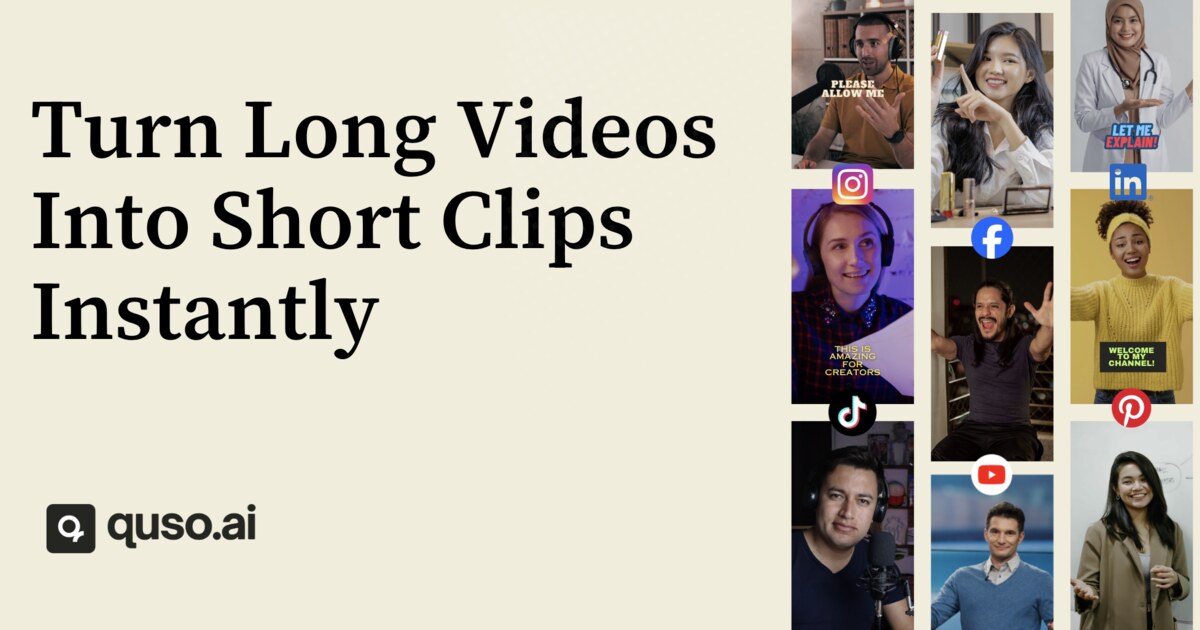
Vidyo.ai (quso.ai): AI Video Repurposing & Scheduling
Vidyo.ai (quso.ai) turns long-form videos into viral short clips, blogs, and captions using AI, then lets you schedule them across social platforms from one dashboard.
Overview
Vidyo.ai, also known as quso.ai, is an AI-driven video repurposing platform designed to help creators, coaches, and businesses squeeze maximum value out of their long-form content. By simply uploading a video file or pasting a YouTube link, the platform's AI scans for the most engaging moments, scores them for virality, and automatically generates short-form clips optimized for TikTok, Instagram Reels, and YouTube Shorts. Beyond clips, it can transform recordings into blogs, show-notes, newsletters, and social captions, making it a one-stop shop for multi-format content creation.
What sets this tool apart is its end-to-end workflow: intelligent scene detection, automated subtitles, filler-word and silence removal, and customizable brand templates streamline editing, while built-in B-roll footage and emoji-styled captions add polish without requiring editing expertise. Once your content is ready, quso.ai's social media scheduler lets you plan and publish across multiple platforms directly from its dashboard, eliminating the need for separate scheduling tools.
Whether you're a podcaster looking to slice episodes into shareable clips, a coach repurposing webinars into lead-generating content, or an agency managing multiple client accounts, quso.ai aims to compress hours of manual editing and scheduling into a few clicks, helping teams maintain consistent branding while scaling their content output.
Capabilities & Features
- AI Video Editor
- AI Clip Maker
- Social Media Management
- Social Media Scheduler
- AI Subtitle Generator
- Content Repurposing
- Social Media Analytics
- AI Video Repurposing
Core Features
- AI clip generation with virality scoring
- Intelligent scene detection and automatic highlight reels
- Automated subtitles, brand templates, and styled captions
- Multi-platform optimization for TikTok, Instagram, and YouTube Shorts
- Silence removal and filler word detection
- One-click social media scheduling and B-roll integration
Use Cases
- Turning podcast episodes or webinars into viral short-form clips
- Scheduling and publishing content across multiple social platforms from one dashboard
- Generating captions, hashtags, and show-notes from long videos
- Repurposing recordings into blogs and newsletters
- Using AI chat with your video to brainstorm new content ideas
Best For
- Video Creators
- Social Media Managers
- Podcasters
- Online Coaches
- Freelancers
- Small Businesses
- Start-ups
- Agencies
- Churches
- Non-Profits
Pros
- •Combines video repurposing and social scheduling in a single dashboard
- •AI virality scoring helps prioritize the most engaging clips
- •Reduces manual editing time with automated subtitles and filler-word removal
- •Supports multiple output formats beyond clips, including blogs and newsletters
- •Brand templates and custom captions help maintain consistent styling
Cons
- •Language support is currently limited to English, Spanish, German, and French
- •Free plan restricts upload size and credits, which may limit heavy users
- •AI-selected highlights may still require manual review for accuracy
- •Advanced customization may involve a learning curve for first-time users
How to Use
Sign up for a free account and head to the dashboard. Upload your long-form video by pasting a YouTube URL or uploading a file directly. Let the AI analyze the footage and generate short, virality-scored clips from the best moments. Customize each clip with language settings, caption styles, and your brand kit, then fine-tune using the editor to add text overlays, remove filler words, adjust timing, and insert B-roll. Finally, download your clips or use the built-in scheduler to publish them across Instagram, TikTok, YouTube Shorts, and LinkedIn, complete with automatic transcription, subtitles, and performance analytics.
Frequently Asked Questions
Pricing
quso.ai offers a free trial with limited credits and upload size (5GB), with paid plans unlocking larger uploads (15GB) and expanded features, though specific pricing tiers were not provided.
Pricing data is provided as a summary. Visit the vendor website for full tier details.