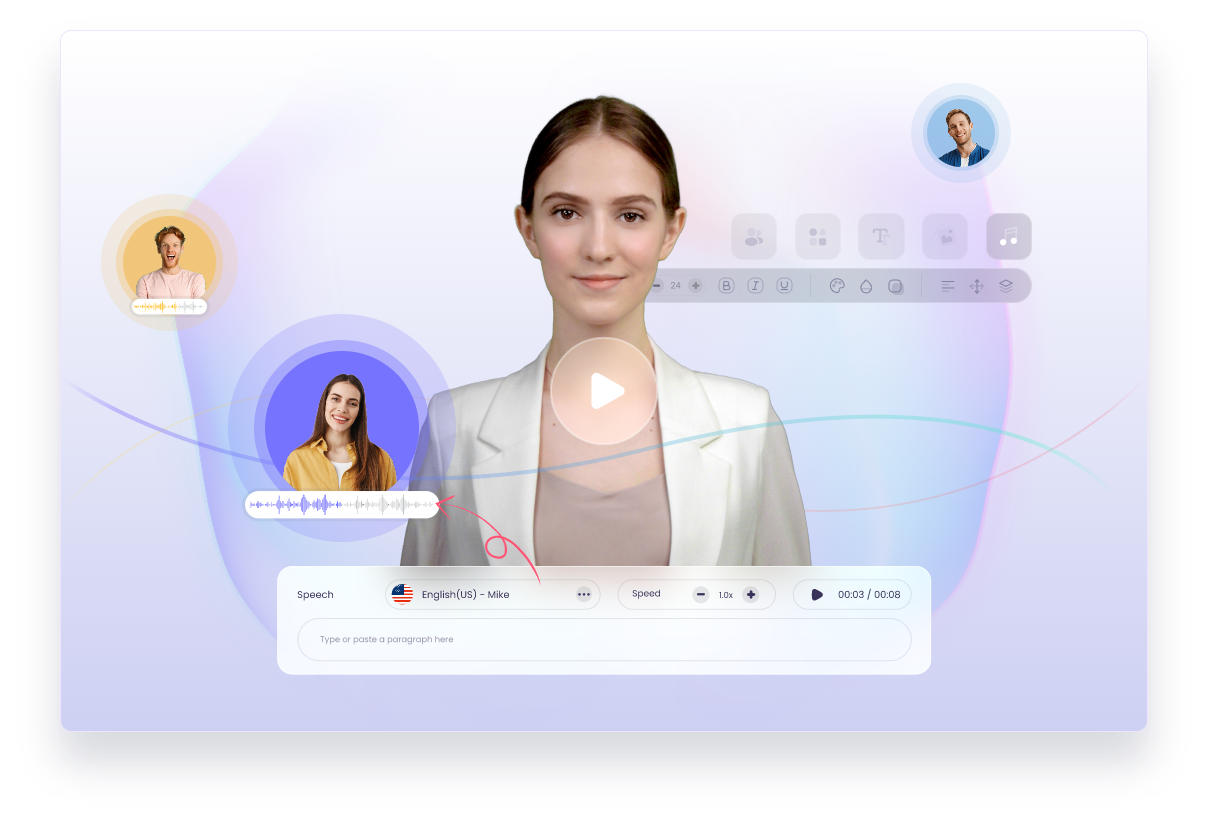
Vidnoz AI: Free AI Video Generator with Avatars & Voices
Vidnoz AI lets you create professional videos in minutes using lifelike AI avatars, natural AI voices, and thousands of customizable templates—no filming required.
Overview
Vidnoz AI is an all-in-one, free AI video generation platform designed to simplify content creation for marketers, educators, and businesses alike. With a library of over 1,500 AI avatars and 2,800+ video templates, users can produce polished, professional-looking videos without needing a camera, studio, or on-screen talent. Simply type a script, select an avatar and voice, and let the platform handle the heavy lifting of animation and speech synthesis.
Beyond basic avatar videos, Vidnoz AI packs in a suite of powerful tools including AI voice cloning, text-to-video and image-to-video conversion, an AI talking photo feature, and a built-in video translator for reaching global audiences. An integrated AI video editor rounds out the experience, allowing users to add music, effects, and layout customizations before exporting. Whether you're building training modules, sales pitches, or social media content, Vidnoz AI aims to cut production time from days to minutes.
The platform's accessibility makes it especially appealing for teams and individuals who lack video production resources but still need to communicate visually. From e-learning courses to customer support explainers, Vidnoz AI positions itself as a versatile, budget-friendly alternative to traditional video production workflows.
Capabilities & Features
- AI video generator
- AI avatars
- AI voices
- Video templates
- Text to video
- Image to video
- Video editing
- Video translation
- Voice cloning
- AI marketing
- AI education
- AI sales
Core Features
- 1,500+ realistic AI avatars for diverse presenter options
- 2,800+ ready-made video templates for fast production
- AI voice generation and voice cloning technology
- Built-in AI video editor with music and effects
- AI video translator for multilingual content
- Text-to-video and image-to-video conversion tools
Use Cases
- Producing explainer videos for products or services
- Building training and onboarding content for employees
- Creating e-learning courses and educational modules
- Generating news-style video updates and announcements
- Crafting sales pitches and marketing promotional videos
Best For
- Marketers
- Educators and trainers
- Sales professionals
- Content creators
- Small businesses and startups
- Customer support teams
Pros
- •No filming or production equipment required to create videos
- •Large library of avatars and templates speeds up content creation
- •Voice cloning adds a personalized, branded touch
- •Built-in translator helps reach international audiences
- •Free tier makes the platform accessible to beginners
Cons
- •Specific pricing details for paid plans aren't clearly outlined
- •Free version likely has limitations on video length or features
- •AI avatars may still feel less authentic than real human presenters
- •Multiple separate plans (Voice, Gen, API) could be confusing to navigate
How to Use
1. Choose an AI avatar or browse the 2,800+ video templates to find a starting point. 2. Type or paste the script you want your AI avatar to speak. 3. Customize the video by adding background music, visual effects, and adjusting the layout. 4. Select or clone an AI voice to match your brand or presenter style. 5. Generate the video and preview the final result. 6. Download the finished video or share it directly to social media or via email.
Frequently Asked Questions
Pricing
Vidnoz AI offers a free plan alongside multiple paid tiers—including Vidnoz AI, Voice, Gen, and API plans—though exact pricing details aren't publicly specified and should be confirmed on their website.
Pricing data is provided as a summary. Visit the vendor website for full tier details.