Video To Text AI: Affordable AI Transcription & Captions
VideoToTextAI turns video and audio into accurate text, subtitles, and translations in minutes using AI—no manual transcribing required.
Overview
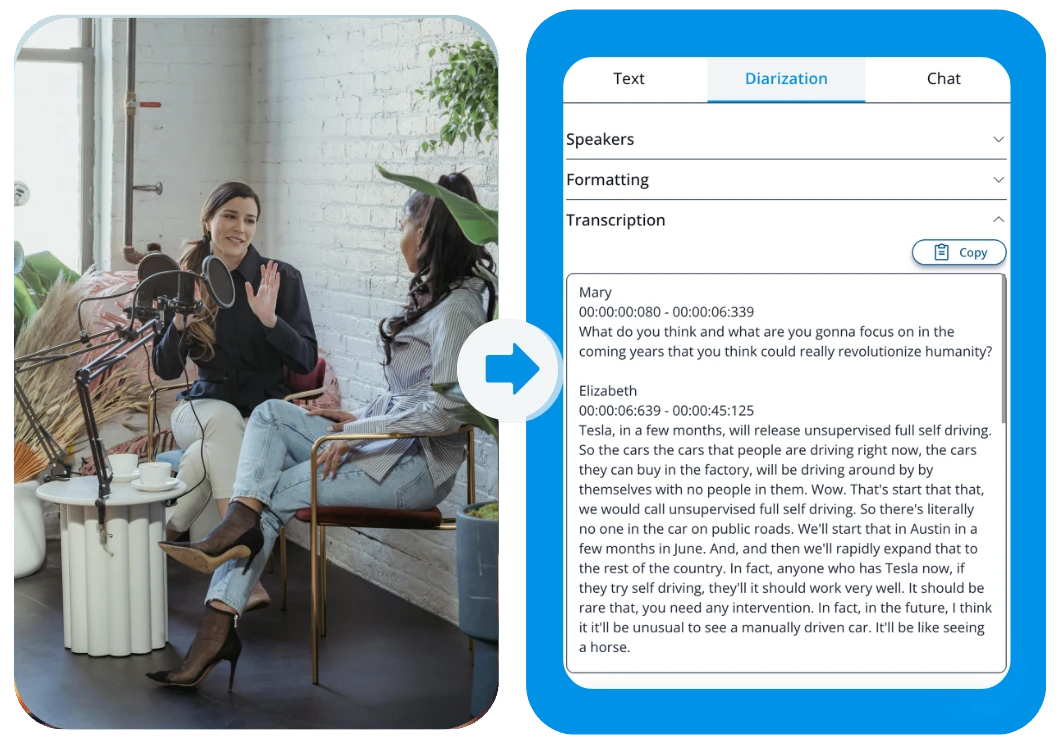
VideoToTextAI is an AI-driven transcription platform built for anyone who needs spoken content converted into clean, editable text—fast. Simply upload a video or audio file, or paste a YouTube link, and the AI handles the rest: transcribing speech, generating captions, and translating content into multiple languages with impressive accuracy. It's designed to eliminate the tedious hours typically spent manually typing out interviews, podcasts, or lectures.
Beyond basic transcription, the platform includes a built-in subtitle editor so users can fine-tune timing and wording before exporting in popular formats like SRT, VTT, or plain text. An AI Chat feature adds another layer of utility, letting users summarize long recordings or ask questions directly about the video's content instead of scrubbing through hours of footage. Whether you're repurposing a podcast into blog content or extracting a recipe from a cooking video, VideoToTextAI streamlines the entire workflow from raw media to polished text.
With support for over 130 languages and a claimed 99% transcription accuracy, the tool positions itself as a budget-friendly alternative to premium transcription services, making it accessible for solo creators and small teams alike.
Capabilities & Features
- Video transcription
- Audio transcription
- AI transcription
- Video translation
- Caption generator
- Subtitle editor
- Speech to text
- AI Chat
- Video to blog converter
- Podcast transcription
Core Features
- Automatic AI transcription for video and audio files
- Multi-language AI translation (130+ languages supported)
- Automatic caption and subtitle generation
- Built-in subtitle and text editing tools
- AI Chat for summarizing content and answering questions about the video
- YouTube link support for direct transcription
Use Cases
- Transcribing podcast episodes into text and shareable captions
- Converting cooking videos into written, step-by-step recipes
- Turning long-form YouTube videos into SEO-friendly blog posts
- Generating multilingual subtitles for international audiences
- Summarizing lectures or interviews for quick review and research
Best For
- Podcasters
- Video creators
- Content marketers
- Educators
- Journalists
- Researchers
- Businesses
Pros
- •Supports both video and audio files, plus direct YouTube links
- •Wide language coverage with over 130 supported languages
- •Editable subtitles and transcripts for precise clean-up
- •AI Chat adds summarization and Q&A capability beyond basic transcription
- •Multiple export formats (SRT, VTT, plain text) for flexible use
Cons
- •Free plan is limited to only 60 credits per month
- •Accuracy may vary with poor audio quality, background noise, or heavy accents
- •Credit-based system may require careful usage tracking for high-volume users
- •No indication of advanced team collaboration or enterprise-level features
How to Use
1. Upload a video or audio file, or paste a YouTube link into the platform. 2. Let the AI automatically transcribe the speech into text. 3. Apply translation into your desired language if needed. 4. Generate captions and use the built-in editor to refine subtitles and wording. 5. Use AI Chat to summarize content or ask questions about the transcript. 6. Export your final text or subtitles in SRT, VTT, or plain text format.
Frequently Asked Questions
Open in AI Studio
Ask our AI to evaluate if Video To Text AI - Cheap Transcriptions fits your specific workflow.
Connect & Contact
Pricing
VideoToTextAI offers a free plan with 60 monthly credits, while the Pro plan unlocks 1,200 monthly credits for just $9.99.
Pricing data is provided as a summary. Visit the vendor website for full tier details.