VEED.IO Review: AI Video Editor for Fast Pro Content
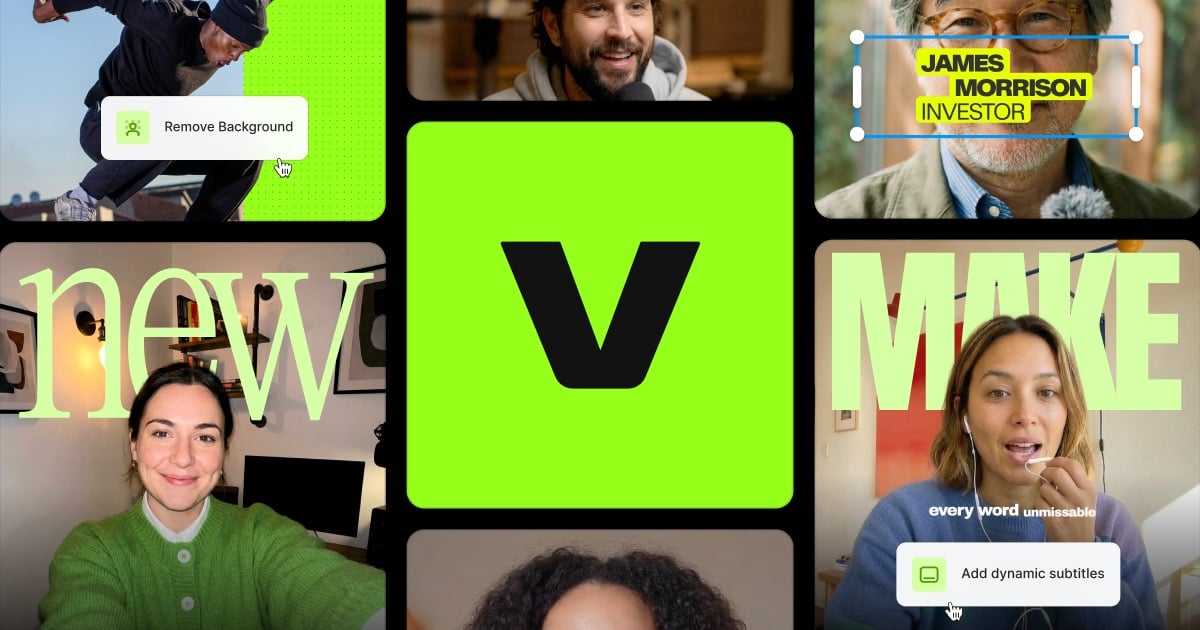
VEED.IO is a browser-based video editor powered by AI, letting anyone record, edit, subtitle, and translate videos without technical skills.
Overview
VEED.IO is a cloud-based video editing platform designed to simplify professional video production for teams and individuals alike. Rather than requiring complex software installations or deep editing expertise, VEED.IO brings a full suite of AI-driven tools directly into your browser—covering everything from automatic subtitle generation to AI avatars and multi-language voice translation. This makes it a compelling option for anyone who needs to produce polished videos quickly, whether for marketing campaigns, internal training, or social media content.
The platform supports the entire video workflow, from recording your screen or webcam to editing with a drag-and-drop interface, adding stock music and visuals, and exporting in high resolution. Its AI capabilities—like background noise removal, text-to-speech, and automated translations into over 50 languages—help eliminate many of the manual, time-consuming steps typically associated with video editing. With ready-made templates for use cases ranging from sales outreach to educational content, VEED.IO positions itself as a versatile, all-in-one solution for modern video creation.
Businesses and creators alike can scale their video output without needing a dedicated production team, since VEED.IO's tools are built to automate the most tedious parts of editing. From solo content creators to enterprise communication teams, the platform's tiered plans and collaborative features make it adaptable to a wide range of workflows and organizational sizes.
Capabilities & Features
- Video editor
- Online video editor
- AI video editor
- Subtitle generator
- Screen recorder
- Video maker
- Video compressor
- Video converter
- Text to speech
- AI Avatars
- AI Image Generator
- Video Translator
Core Features
- AI-powered editing tools including avatars and image generation
- Automatic subtitle generation and multi-language translation
- Built-in screen and webcam recording
- Text-to-speech voice synthesis
- Extensive stock library of music, video, and templates
- Auto-resizing for different social media formats
Use Cases
- Producing marketing and social media video content
- Creating e-learning and training materials
- Recording and sharing sales or pitch videos
- Adding subtitles and translations for global audiences
- Hosting and recording internal meetings or updates
- Designing branded intros and outros
- Crafting memes and quick promotional clips
Best For
- Content creators
- Marketing professionals
- Educators and trainers
- Small to large businesses
- Social media managers
- Sales teams
- Internal communications teams
Pros
- •Browser-based platform requires no software installation
- •AI automation significantly speeds up editing tasks like subtitling and translation
- •Wide range of templates suited to many industries and use cases
- •Scalable plans from solo creators to enterprise teams
- •Supports translation into 50+ languages for global reach
Cons
- •Free plan is limited and includes a watermark
- •Advanced AI features like AI Avatars and full translation access are locked behind the pricier Pro plan
- •Collaboration is capped at 3 editors even on paid plans below Enterprise
- •Costs can add up quickly for teams needing full AI functionality
How to Use
Start by recording a video directly in your browser using the webcam or screen recorder, uploading an existing video file, or choosing a template to kickstart your project. Use the drag-and-drop editor to add text, images, music, and effects to your timeline. Leverage AI tools to auto-generate subtitles, remove background noise, translate voiceovers, or insert an AI avatar. Once your edits are complete, export your video in your desired resolution and share it directly to social platforms or download it for other uses.
Frequently Asked Questions
Connect & Contact
Pricing
VEED.IO offers a free watermarked plan alongside paid tiers starting at $9/month for Lite, scaling to $24/month for Pro with full AI tool access, and custom Enterprise pricing for larger teams needing advanced security and support.
Pricing data is provided as a summary. Visit the vendor website for full tier details.