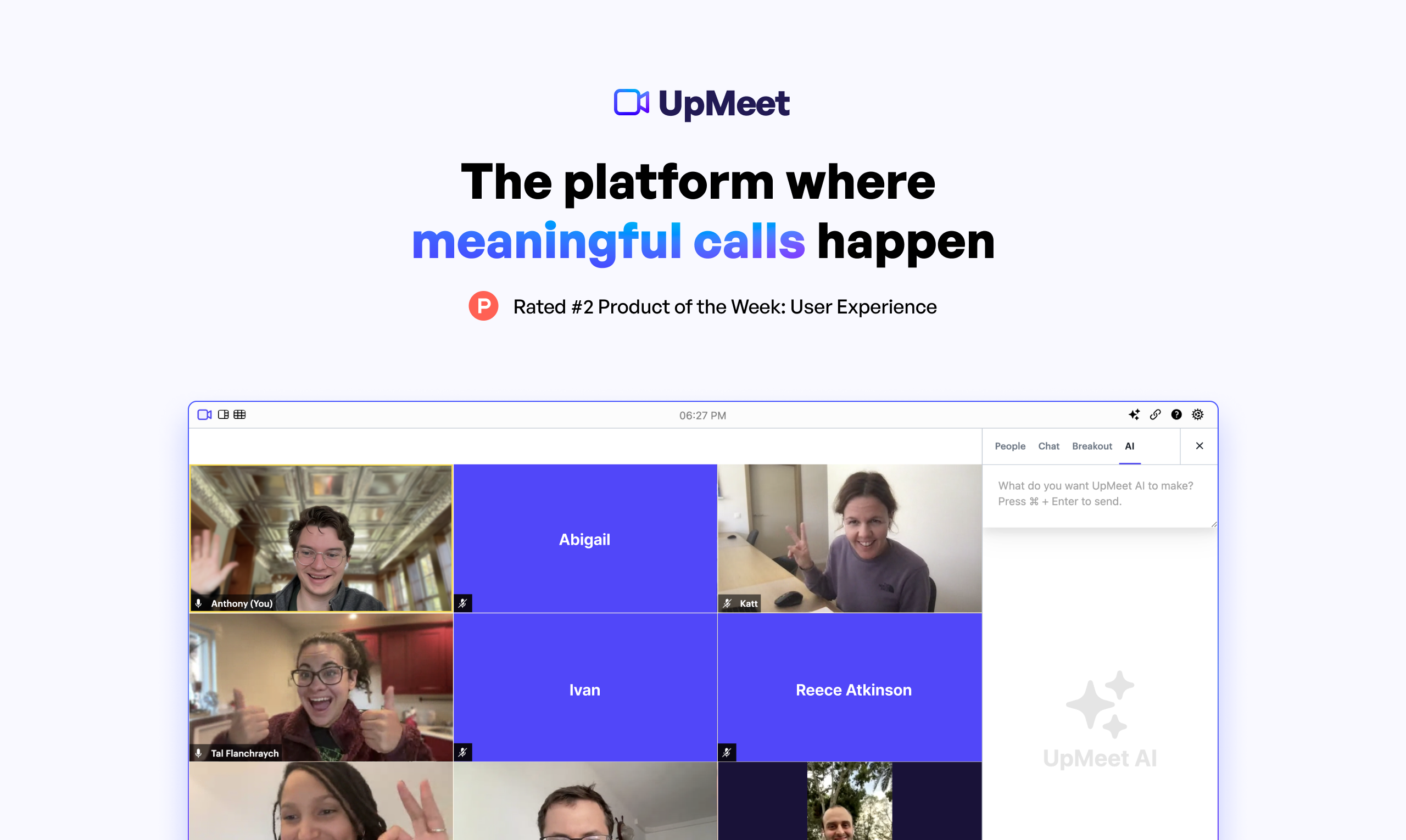
UpMeet 3.0: AI-Powered Video Meetings & Branding
UpMeet is a video conferencing platform that combines AI-generated meeting summaries with custom branding to make standups and team calls faster and more productive.
Overview
UpMeet 3.0 reimagines the standard video call by blending productivity tooling with a fully branded meeting experience. Instead of just hosting a call, teams get automatic meeting summaries, AI assistance, and organized boards that eliminate the need for manual note-taking and follow-up emails, letting participants focus on the conversation rather than the admin work that surrounds it.
Beyond the AI layer, UpMeet delivers all the essentials expected of a modern conferencing tool: screen sharing, breakout rooms, live chat, and recordings, plus native integration with apps like ClickUp to keep meeting outcomes connected to your existing workflow. Custom branding lets businesses put their own stamp on every call, turning a routine video link into an extension of their brand identity.
With plans scaling from small five-person teams up to enterprise-grade events supporting as many as 15,000 participants, UpMeet is built to grow alongside an organization's meeting needs, whether that's a quick daily standup or a large-scale virtual webinar.
Capabilities & Features
- meeting platform
- online meetings
- video conferencing
- remote collaboration
- virtual meetings
- web conferencing
- screen sharing
- online collaboration
- team communication
- video meetings
- virtual events
- webinar platform
- remote work
- video calls
- online presentations
- virtual conferencing
- AI meeting summaries
- custom branding
Core Features
- Automatic AI meeting summaries
- Built-in AI assistant for meeting support
- Custom branding for a unique meeting experience
- Screen sharing and breakout rooms
- Native ClickUp integration
- In-call chat and recordings
Use Cases
- Conducting team stand-up meetings
- Hosting webinars and virtual events
- Facilitating remote collaboration
- Conducting client meetings
- Delivering online presentations
Best For
- Project managers
- Team leaders
- Remote teams
- Webinar hosts
- Sales teams
- Educators
Pros
- •AI-generated summaries cut down on manual note-taking
- •Custom branding reinforces professional identity
- •Scales from small teams to events with thousands of attendees
- •Breakout rooms and screen sharing support varied meeting formats
- •Direct ClickUp integration streamlines task follow-up
Cons
- •Entry-level plan limits calls to just 40 minutes
- •Higher participant caps and longer call durations require pricier tiers
- •Integration options appear limited mainly to ClickUp
- •Large-scale participant support may need enterprise-level pricing not listed
How to Use
Start by signing up for a free trial or selecting a paid plan. After logging in, create a dedicated meeting 'Space' and apply your custom branding. Invite participants via a shared link, then run your session using tools like screen sharing, breakout rooms, and live chat. Once the call wraps up, review the AI-generated summary and recording, and push relevant action items into connected apps like ClickUp.
Frequently Asked Questions
Connect & Contact
Pricing
UpMeet offers three tiers starting at £10/month for small teams, scaling to £20/month for extended group meetings, and up to £60/month for large teams needing longer calls and more spaces.
Pricing data is provided as a summary. Visit the vendor website for full tier details.