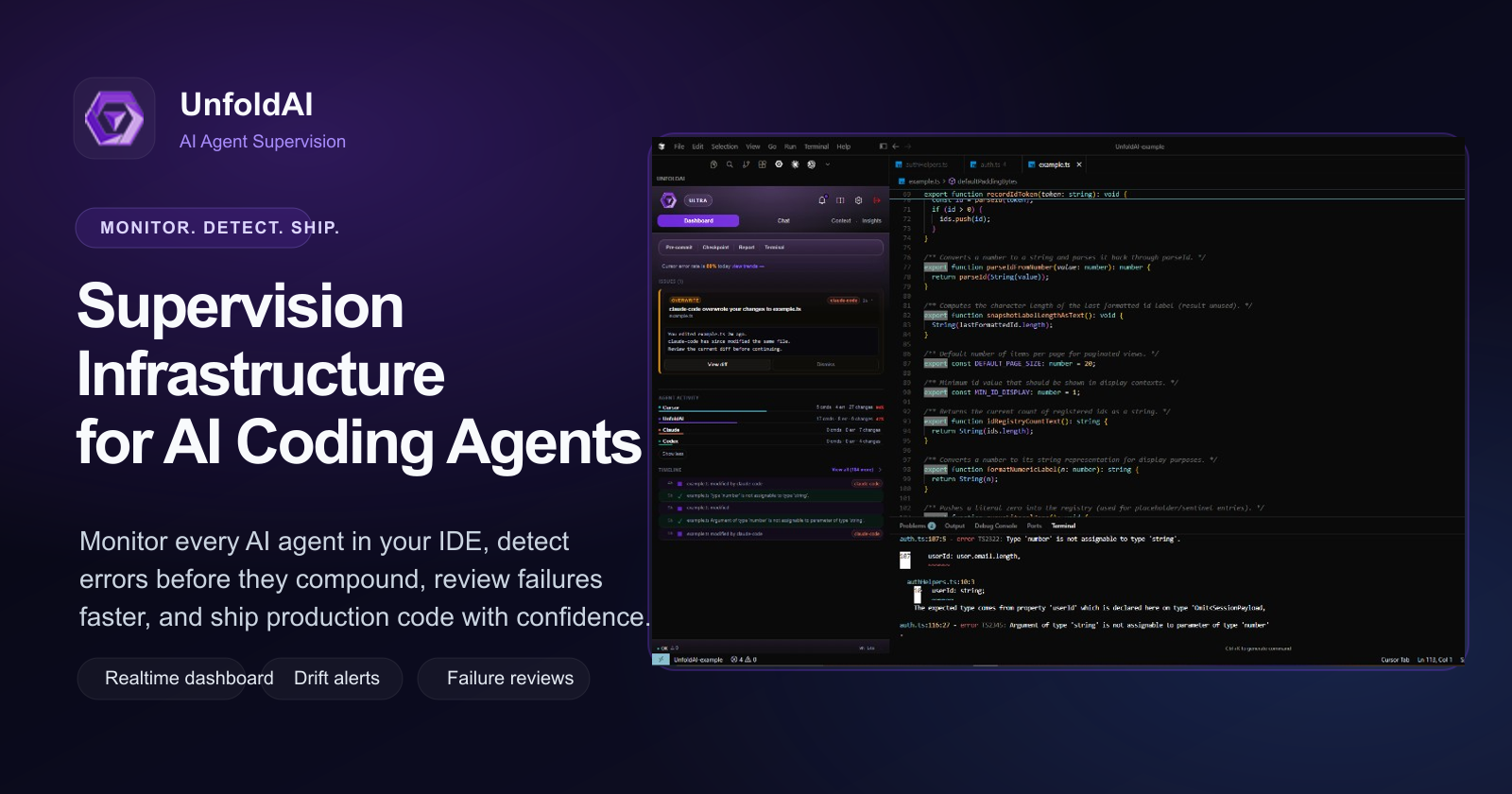
Unfold AI: Real-Time Bug Fixing Assistant for VS Code
Unfold AI is a VS Code extension that instantly detects and solves coding errors in real time, letting developers spend less time debugging and more time building.
Overview
Unfold AI is an AI-powered coding companion built specifically to tackle one of the most time-consuming parts of software development: bug fixing. Rather than acting as a general-purpose chatbot, it lives directly inside your IDE and continuously monitors your terminal for errors, automatically surfacing solutions the moment something breaks. This tight integration means developers no longer need to copy error messages into a browser tab or dig through Stack Overflow threads to find a fix.
Beyond automatic detection, Unfold AI gives developers manual control when needed. You can submit errors that slipped past automatic detection, attach specific code snippets for more context-aware suggestions, or simply ask the AI model questions in plain English about your code. Combined with intelligent code completion and an aggregate solution log for reviewing past fixes, Unfold AI positions itself as a focused productivity layer for anyone writing code day-to-day, particularly in JavaScript-heavy stacks like React and full-stack web development.
Capabilities & Features
- AI Coding Assistant
- Bug Fixing
- Error Resolution
- IDE Extension
- Code Completion
- VS Code
- Debugging
- Real-Time Solutions
Core Features
- Automatic real-time error detection in the terminal
- One-click 'Unfold Bug Solution' for instant fixes
- Manual error submission for undetected or external issues
- Code attachment for more context-aware, precise solutions
- Natural language Q&A with the AI model
- Intelligent code completion
- Aggregate solution history/log viewing
Use Cases
- Automatically catching and resolving terminal errors without leaving the IDE
- Speeding up development with smart, context-aware code completion
- Getting unstuck on tricky bugs by attaching code snippets for deeper analysis
- Reviewing a log of past errors and their solutions to spot recurring issues
- Asking natural-language questions to better understand unfamiliar code
Best For
- Software Developers
- React Developers
- Full-stack Engineers
- Web Developers
Pros
- •Real-time, in-IDE error detection removes context-switching to search engines or forums
- •Manual submission and code attachment options add flexibility beyond automatic detection
- •Natural language querying makes the tool accessible even to less experienced developers
- •Aggregate solution log helps track recurring issues over time
- •Pro version offers a one-time fee with no need for separate OpenAI account registration
Cons
- •Currently limited to the VS Code marketplace, excluding users of other editors
- •Primarily focused on terminal-based errors, which may not cover all bug types (e.g., logical or runtime issues in the browser)
- •Effectiveness may vary depending on programming language and framework specificity
- •Free version may lack the advanced QA features and speed improvements of the Pro tier
How to Use
1. Install the UnfoldAI extension from the VS Code marketplace.
2. Code as usual — when an error appears in your terminal, the extension automatically detects it.
3. Click the 'Unfold Bug Solution' button to have the AI process the error and display a fix in the UI terminal.
4. For errors that aren't auto-detected, manually submit the error details for analysis.
5. Use the 'Attach Code' button to add relevant code snippets, giving the AI more context for a precise solution (best used alongside 'Unfold Bug Solution').
6. Ask the model direct, natural-language questions about your code or general programming concepts.
7. Review past fixes anytime using the aggregate solution log.
Frequently Asked Questions
Pricing
Unfold AI offers a Free Version with core error detection and manual solution features, plus a Pro Version available for a one-time fee that unlocks a code-specific trained AI, faster performance, and advanced QA capabilities without requiring an OpenAI account.
Pricing data is provided as a summary. Visit the vendor website for full tier details.