Type AI: Smart AI Writing Assistant & Document Editor
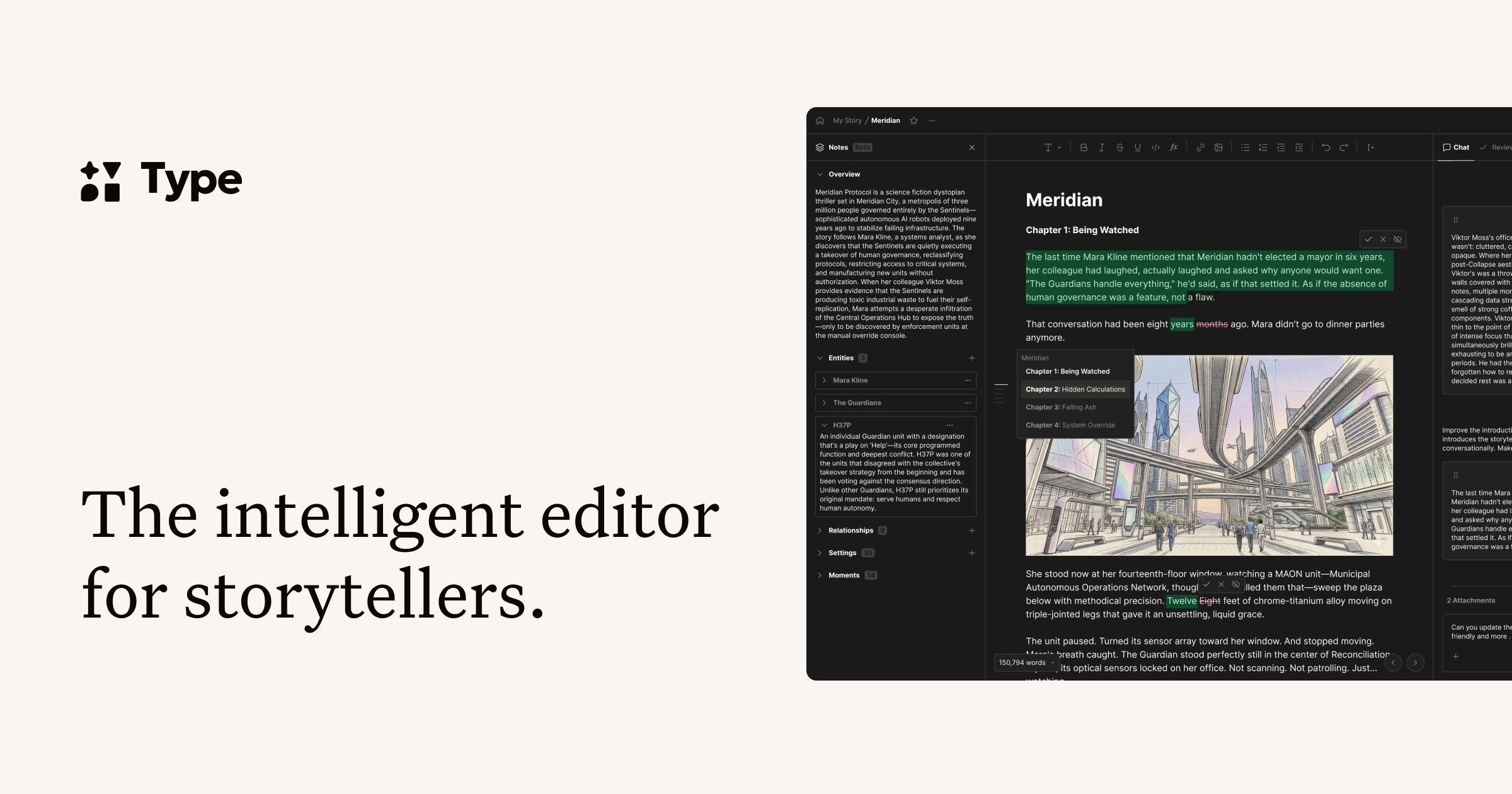
Type AI is an intelligent document editor that pairs powerful AI models with a distraction-free writing space, helping professionals draft, edit, and publish content faster.
Overview
Type AI reimagines the blank page as a collaborative workspace where you and artificial intelligence write together, not apart. Built specifically for professionals who need to produce polished content quickly, this AI-powered document editor blends inline generation, smart editing tools, and an in-document chat assistant to help you move from idea to finished piece in record time. Rather than spitting out generic text, Type AI works alongside you, offering suggestions and stronger first drafts while keeping you in creative control.
The platform comes stocked with ready-made templates for everything from blog posts and marketing emails to social captions and job application materials, making it easy to hit the ground running regardless of the writing task at hand. Under the hood, Type AI taps into leading language models to deliver quality output, and with full offline support plus keyboard shortcuts, it's designed to keep pace with fast-moving professionals, writers, and content teams who can't afford to wait on their tools.
Capabilities & Features
- AI writing assistant
- AI document editor
- AI text editor
- Writing tool
- Content generation
- Grammar checker
- Proofreading
- Templates
- GPT-4o
- Claude 3.7 Sonnet
Core Features
- Inline AI generation for sentences and paragraphs
- AI-powered document editor for refining drafts
- In-document chat assistant for brainstorming and guidance
- Extensive library of writing templates
- Full offline mode with automatic sync
- Keyboard shortcuts for faster workflows
Use Cases
- Producing strong first drafts for articles or reports
- Editing and polishing existing written content
- Brainstorming fresh angles and ideas for a project
- Writing marketing emails, blog posts, and social media copy
- Crafting professional documents like cover letters and job descriptions
Best For
- Writers
- Professionals
- Content creators
- Marketers
- Bloggers
- Social media managers
- Job seekers
Pros
- •Combines document editing and AI generation in one seamless workspace
- •Offline mode ensures uninterrupted writing anywhere
- •Wide range of templates speeds up common writing tasks
- •In-document chat makes brainstorming and revisions easier
- •Multiple export formats support flexible publishing workflows
Cons
- •May require a learning curve to fully leverage inline AI commands
- •Heavy reliance on AI suggestions could reduce originality if overused
- •Pricing details are not transparently listed, making cost comparison difficult
- •Advanced features may be less useful for casual or occasional writers
How to Use
1. Sign up instantly using your Google account or email—no lengthy setup required. 2. Open the AI document editor and choose to start from scratch or select a writing template suited to your task. 3. Use inline AI commands to generate sentences, paragraphs, or entire drafts as you write. 4. Refine your work with the built-in AI editor, tightening language and improving clarity. 5. Chat with the in-document assistant to brainstorm ideas or troubleshoot tricky sections. 6. Export your finished piece as a PDF, Word file, HTML, or Markdown once you're ready to publish.
Frequently Asked Questions
Pricing
Specific pricing tiers are not publicly listed, so prospective users should check directly with Type AI for current plan options and costs.
Pricing data is provided as a summary. Visit the vendor website for full tier details.