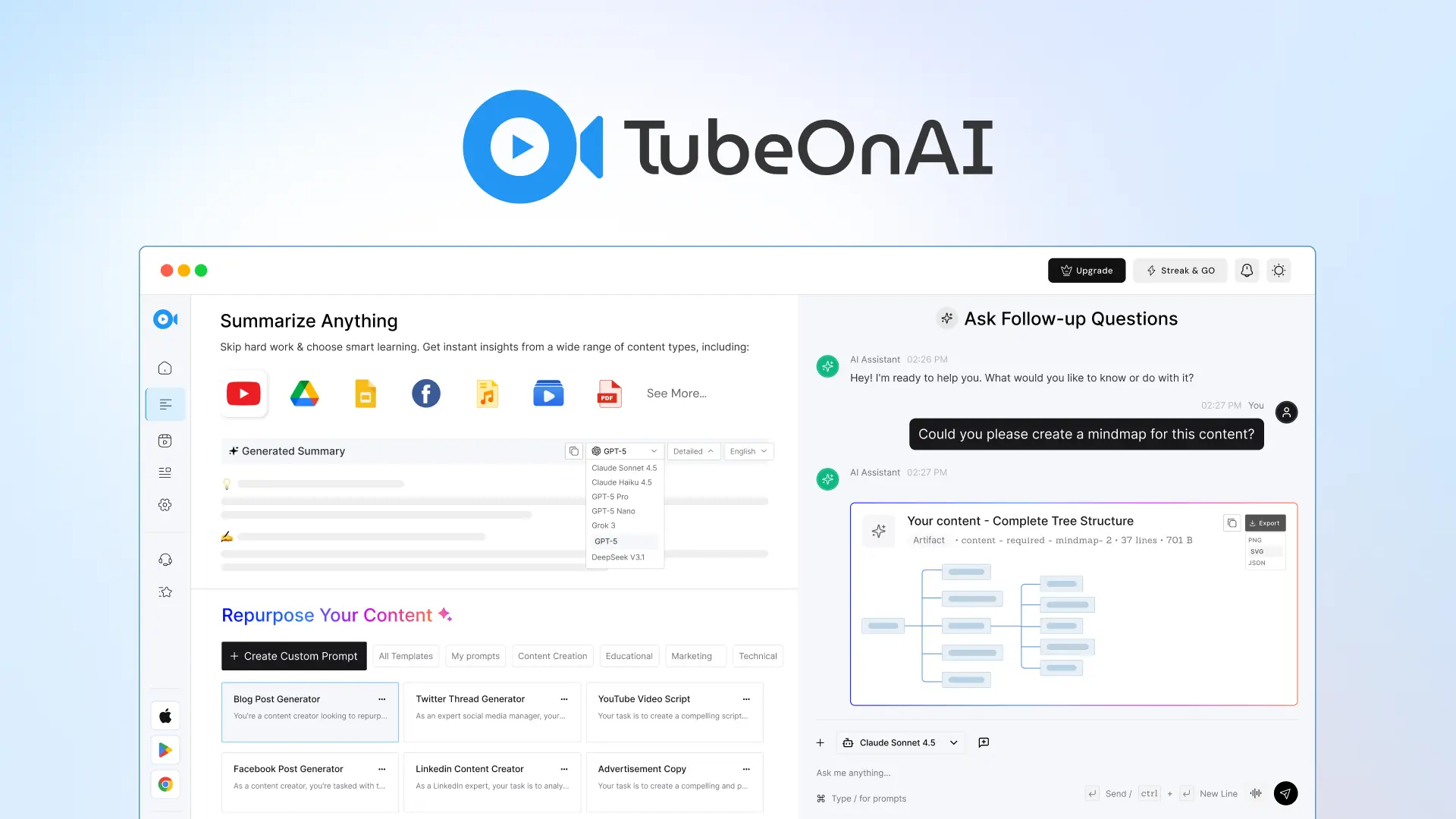
TubeOnAI: AI Summarizer for Videos, Podcasts & Docs
TubeOnAI instantly summarizes YouTube videos, podcasts, and documents, then repurposes them into blogs, social posts, and study guides.
Overview
TubeOnAI is a versatile AI-powered content companion built to help busy learners, creators, and professionals cut through information overload. Instead of sitting through hours of video or podcast content, users can paste a link or search within the dashboard to generate fast, accurate summaries of YouTube videos, podcasts, Google Drive files, research papers, and other publicly available web content. Beyond condensing information, TubeOnAI doubles as a content repurposing engine, transforming source material into blog posts, social media captions, email newsletters, and study guides in just a few clicks.
What sets TubeOnAI apart is its focus on turning passive consumption into active understanding. Features like chat-with-content let users interrogate summaries for deeper insights, while audio summaries make it possible to absorb key takeaways during a commute or workout. A built-in Chrome extension streamlines research by summarizing pages on the fly, and automatic summaries from subscribed channels keep users updated without manual effort. With AI-powered translation support, the tool also opens the door to multilingual learning, making it a practical choice for a global audience of students, researchers, marketers, and content creators alike.
Capabilities & Features
- AI summarizer
- Content repurposing
- YouTube summary
- Podcast summary
- Article summarizer
- Content creation
- Productivity tool
- AI tools
- Chrome extension
Core Features
- Summarize YouTube videos, podcasts, Google Drive files, and articles
- Repurpose content into blogs, social posts, and study guides
- Chat with content for deeper topic exploration
- Chrome extension for instant research summaries
- Automatic summaries from subscribed channels
- AI-powered translations and audio summaries
Use Cases
- Students condensing lecture videos and notes into study guides
- Professors simplifying dense research papers for lectures
- Content creators repurposing long-form videos into social posts
- Researchers synthesizing findings from multiple sources quickly
- Marketers extracting key insights from industry podcasts and trends
Best For
- Students
- Professors
- Content Creators
- Researchers
- Journalists
- Podcast Listeners
- Marketers
- Startup Owners
Pros
- •Supports a wide range of content types, from videos to PDFs
- •Repurposing tools save time turning summaries into usable content
- •Chat-with-content feature enables deeper engagement beyond summaries
- •Audio summaries and translations add flexibility for learning on the go
- •Chrome extension speeds up in-browser research
Cons
- •Free plan is limited to only 60 minutes of content per month
- •Advanced features like content repurposing require the paid Pro plan
- •AI-generated summaries may occasionally need manual prompt tuning for accuracy
- •Only two pricing tiers may limit flexibility for mid-sized teams
How to Use
1. Sign up for a TubeOnAI account using your email address. 2. From the dashboard, search for content or paste a link to a YouTube video, podcast, article, or document. 3. Click 'Summarize' to generate an AI-powered summary. 4. Use the chat feature to ask follow-up questions or dig deeper into the material. 5. Repurpose the summary into a blog post, social media content, or study guide as needed. 6. Save and organize summaries into custom libraries, or install the Chrome extension for quick on-the-go summarization.
Frequently Asked Questions
Pricing
TubeOnAI offers a free-forever Starter plan with limited monthly usage, plus a $19/month Pro plan with unlimited channel subscriptions, 10,000 minutes, and a 7-day free trial.
Pricing data is provided as a summary. Visit the vendor website for full tier details.