Riverside.fm Review: Studio-Quality Podcast Recording
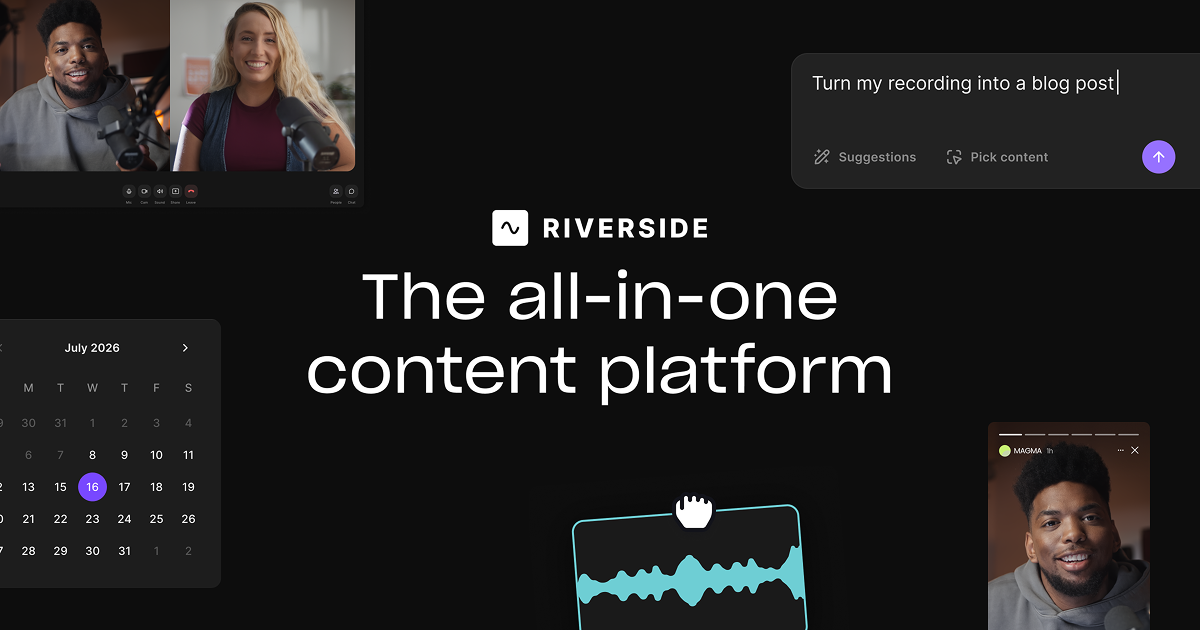
Riverside is an all-in-one virtual studio that lets creators record 4K video and crystal-clear audio remotely, then edit and repurpose it with AI.
Overview
Riverside.fm reimagines what a recording studio can be by putting professional-grade podcast and video production entirely in the browser. Built for creators and businesses who need polished output without wrestling with technical setups, it captures locally recorded, separate audio and video tracks for every participant, ensuring broadcast-quality results even when someone's internet connection is spotty. From solo interviews to multi-guest panels, the platform is designed to make remote content feel like it was shot in a professional studio.
Beyond recording, Riverside functions as a full production suite. Its AI-powered tools let you edit video by simply editing the transcript, strip out filler words automatically, and instantly generate short-form clips optimized for social media. Add in live streaming to platforms like YouTube and Twitch, multilingual transcription, and direct podcast distribution to Spotify and Apple Podcasts, and Riverside effectively replaces an entire stack of separate production tools with one streamlined workspace.
Whether you're a podcaster growing an audience, a marketer producing branded video content, or a business running webinars and internal communications, Riverside scales to match the complexity of the job. Its combination of high-fidelity recording and AI-assisted editing means teams can go from raw conversation to publish-ready content in a fraction of the usual time.
Capabilities & Features
- Podcast recording
- Video recording
- Remote recording
- Virtual studio
- AI transcription
- Video editing
- Text-based editor
- Live streaming
- Social media clips
- Webinars
- Podcast Software
- Video Podcast Software
- Audio Recording Software
- Video Recording Software
- Podcast Editing Software
- Screen Recording Software
- Video Transcription Recording Software
Core Features
- Up to 4K remote video recording with separate audio/video tracks
- AI-powered transcription in 100+ languages
- Text-based video editing for fast, intuitive edits
- Magic Clips for automatically generating social-ready content
- Live streaming to major platforms like YouTube and Twitch
- Magic Audio enhancement and AI Co-Creator tools
Use Cases
- Recording and producing podcasts with multiple remote guests
- Conducting professional video interviews
- Generating short-form clips for social media promotion
- Hosting and repurposing webinars and virtual conferences
- Producing internal communications and L&D video content
Best For
- Podcasters
- Video creators
- Content producers
- Marketers
- Businesses and teams
Pros
- •Captures separate high-quality tracks even over unstable internet connections
- •AI editing tools significantly speed up post-production workflows
- •Combines recording, editing, streaming, and distribution in a single platform
- •Text-based editing makes video editing accessible to non-technical users
- •Supports up to 4K video and professional-grade audio output
Cons
- •Free plan is limited to just 2 hours of multi-track recording
- •Higher-tier plans (like Webinar) may be costly for occasional users
- •Advanced features like live multistreaming require a paid upgrade
- •Learning to use the full suite of AI tools may take time for new users
How to Use
1. Open Riverside in your browser or app and start or schedule a recording session.
2. Invite participants via a simple link—no downloads required on their end.
3. Record separate high-quality audio and video tracks for each person, even with unstable connections.
4. Use the text-based editor to trim and edit your footage simply by editing the transcript.
5. Apply AI tools to remove filler words, enhance audio quality, and generate Magic Clips for social media.
6. Live stream directly to platforms like YouTube, Facebook, Instagram, or Twitch if desired.
7. Transcribe your content into 100+ languages for accessibility and repurposing.
8. Publish and distribute your finished podcast or video to directories like Spotify and Apple Podcasts, all from one platform.
Frequently Asked Questions
Open in AI Studio
Ask our AI to evaluate if The New Riverside fits your specific workflow.
Pricing
Riverside offers a free tier with 2 hours of multi-track recording, with paid plans starting at $24/month for Pro and scaling up to $79/month for Webinar features, plus a custom Business plan for large-scale production needs.
Pricing data is provided as a summary. Visit the vendor website for full tier details.