SnapEdit: AI Photo Editor for Object & Watermark Removal
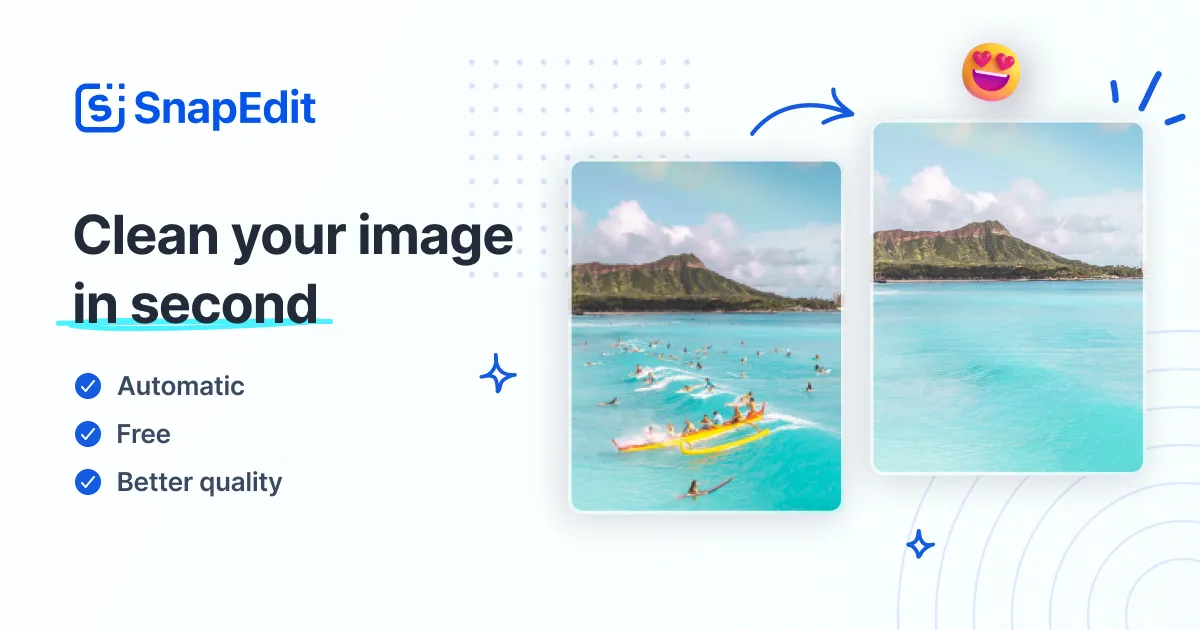
SnapEdit is an AI-powered photo editor that removes unwanted objects, watermarks, and backgrounds while enhancing image quality in seconds.
Overview
SnapEdit is a versatile AI photo editing platform available on both web and mobile that takes the complexity out of advanced retouching. Instead of wrestling with layers and masks in traditional software, users can simply upload a photo and let AI handle object removal, background swaps, watermark erasing, and image upscaling automatically. Whether you're cleaning up a real estate listing, removing a photobomber from a vacation shot, or restoring a faded family photo, SnapEdit's toolkit is built to handle it in just a few clicks.
Beyond basic cleanup, SnapEdit offers a surprisingly deep feature set for a browser-based tool, including sky replacement, face and background blurring, shadow generation, colorization for old photos, and batch processing for handling multiple images at once. This makes it equally useful for casual social media editing and more demanding professional workflows like e-commerce product photography or marketing campaigns. The combination of speed, accessibility, and AI accuracy positions SnapEdit as a lightweight but capable alternative to heavier desktop editing suites.
Capabilities & Features
- AI photo editor
- Object removal
- Background remover
- Image enhancer
- Watermark remover
- Text remover
- Photo editing
- AI
- Image editing
- Online photo editor
- Photo retouching
- Image upscaling
- Batch processing
- Sky replacement
- Blur background
- Restore old photo
- Colorize image
Core Features
- AI-powered object and people removal
- Background removal and sky replacement
- Image enhancement and upscaling
- Watermark, text, and line removal
- Face and background blurring with shadow and light correction
- Old photo restoration and colorization
Use Cases
- Removing tourists or unwanted people from travel photos
- Cleaning up product photos for e-commerce listings
- Erasing watermarks, logos, or text from images
- Restoring and colorizing old or damaged family photos
- Batch editing large sets of images for marketing or real estate use
Best For
- Photographers
- Social media users
- E-commerce businesses
- Marketing professionals
- Real estate agents
- Travel bloggers
- Graphic designers
Pros
- •Wide range of AI editing tools in one platform
- •No design or Photoshop experience required
- •Supports HD downloads and unlimited image sizes
- •Batch processing saves time for bulk edits
- •Works across web and mobile without installation
Cons
- •Advanced AI results may occasionally need manual touch-ups
- •Free tier likely has limitations compared to paid plans
- •Requires stable internet connection since editing is cloud-based
- •Team and business-focused features may be overkill for casual users
How to Use
1. Upload your image to the SnapEdit website or mobile app. 2. Choose the tool you need, such as Object Remover, Background Remover, or Enhancer. 3. Let the AI detect elements in the photo, then refine your edit by highlighting or adjusting the selection as needed. 4. Preview the results and make further adjustments if desired. 5. Download the finished image in HD or share it directly to social media.
Frequently Asked Questions
Open in AI Studio
Ask our AI to evaluate if SnapEdit - All-in-one AI Photo Editor fits your specific workflow.
Connect & Contact
Pricing
SnapEdit offers a free plan for casual use, with paid tiers starting at $5/mo for individuals and scaling up to $20/mo for agencies and larger teams needing more advanced or collaborative features.
Pricing data is provided as a summary. Visit the vendor website for full tier details.