Reface AI: Face Swap Videos & AI Avatar Generator
Reface AI lets you swap faces into GIFs and videos in seconds, plus generates 48 unique AI avatar artworks from just 10 selfies.
Overview
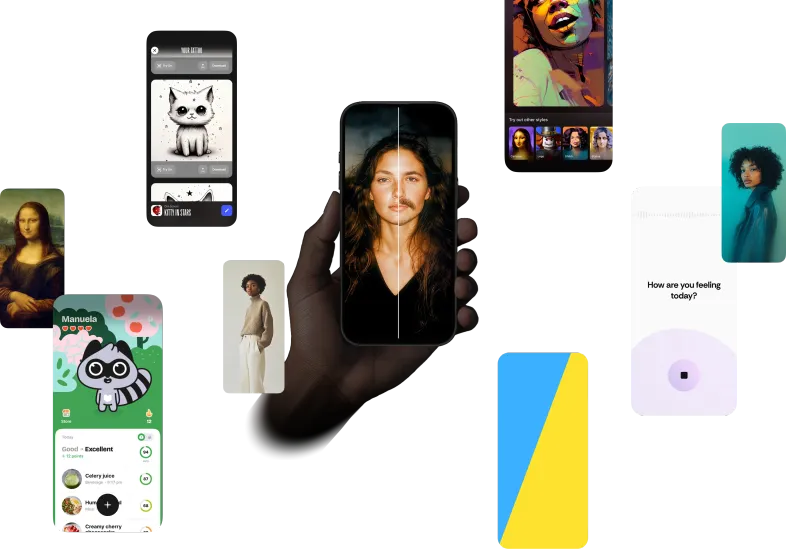
Reface AI is a mobile-first app built for anyone who wants to have fun with their face online. At its core is a powerful face-swapping engine that lets you drop your likeness into GIFs and videos, instantly turning everyday clips into personalized, shareable content perfect for social media, memes, and messaging.
Beyond face-swapping, Reface offers an AI Avatar generator that transforms a simple photo upload into professional-looking digital artwork. Just upload 10 photos of yourself, wait about an hour, and receive 48 distinct AI-generated portraits spanning styles from superheroes to cyberpunk aesthetics. It's a fast, low-effort way to get high-quality, stylized versions of yourself without needing any design skills.
Whether you're looking to create viral content, craft a unique profile picture, or simply experiment with AI-driven creativity, Reface combines entertainment and cutting-edge image generation into one accessible mobile experience.
Capabilities & Features
- AI face-swap
- GIF face-swap
- Video face-swap
- AI Avatar
- Mobile app
- Art generator
- Portrait generator
Core Features
- Face-swapping technology for GIFs and videos
- AI Avatar generator producing 48 unique artworks per batch
- Multiple art styles including superhero and cyberpunk themes
- Simple photo upload workflow requiring only 10 images
- Mobile-native app available on iOS and Android
Use Cases
- Creating personalized, funny face-swap GIFs for messaging apps
- Producing custom face-swapped videos for social media posts
- Generating a batch of AI avatar artworks for profile pictures
- Making shareable memes with swapped celebrity or friend faces
- Exploring different artistic self-portraits without a designer
Best For
- Social media users
- Content creators
- Meme creators
- Digital artists
- Casual mobile app users looking for entertainment
Pros
- •Fast and easy face-swapping directly from a mobile device
- •Delivers a large batch of 48 diverse avatar styles per upload
- •No design or editing skills required
- •Fun, shareable output ideal for social platforms
- •Simple onboarding with straightforward upload process
Cons
- •Requires uploading 10 personal photos, which may concern privacy-conscious users
- •AI Avatar generation takes about an hour, not instant
- •Limited to mobile platforms with no apparent desktop/web version mentioned
- •Output quality may vary depending on input photo quality
How to Use
1. Download the Reface app on iOS or Android.
2. For face-swapping: select a GIF or video, upload a clear photo of your face, and let the app swap it in automatically.
3. For AI Avatars: upload 10 photos of yourself from different angles and lighting.
4. Wait approximately one hour for processing.
5. Receive and download 48 unique AI-generated artworks in various art styles.
Frequently Asked Questions
Connect & Contact
Pricing
No pricing details are currently available for Reface AI; check the app store listings for the latest subscription or in-app purchase options.
Pricing data is provided as a summary. Visit the vendor website for full tier details.