Recast Studio: AI Podcast-to-Video Repurposing Tool
Recast Studio turns podcast episodes into video clips, blog posts, and social content using AI—no editing skills required.
Overview
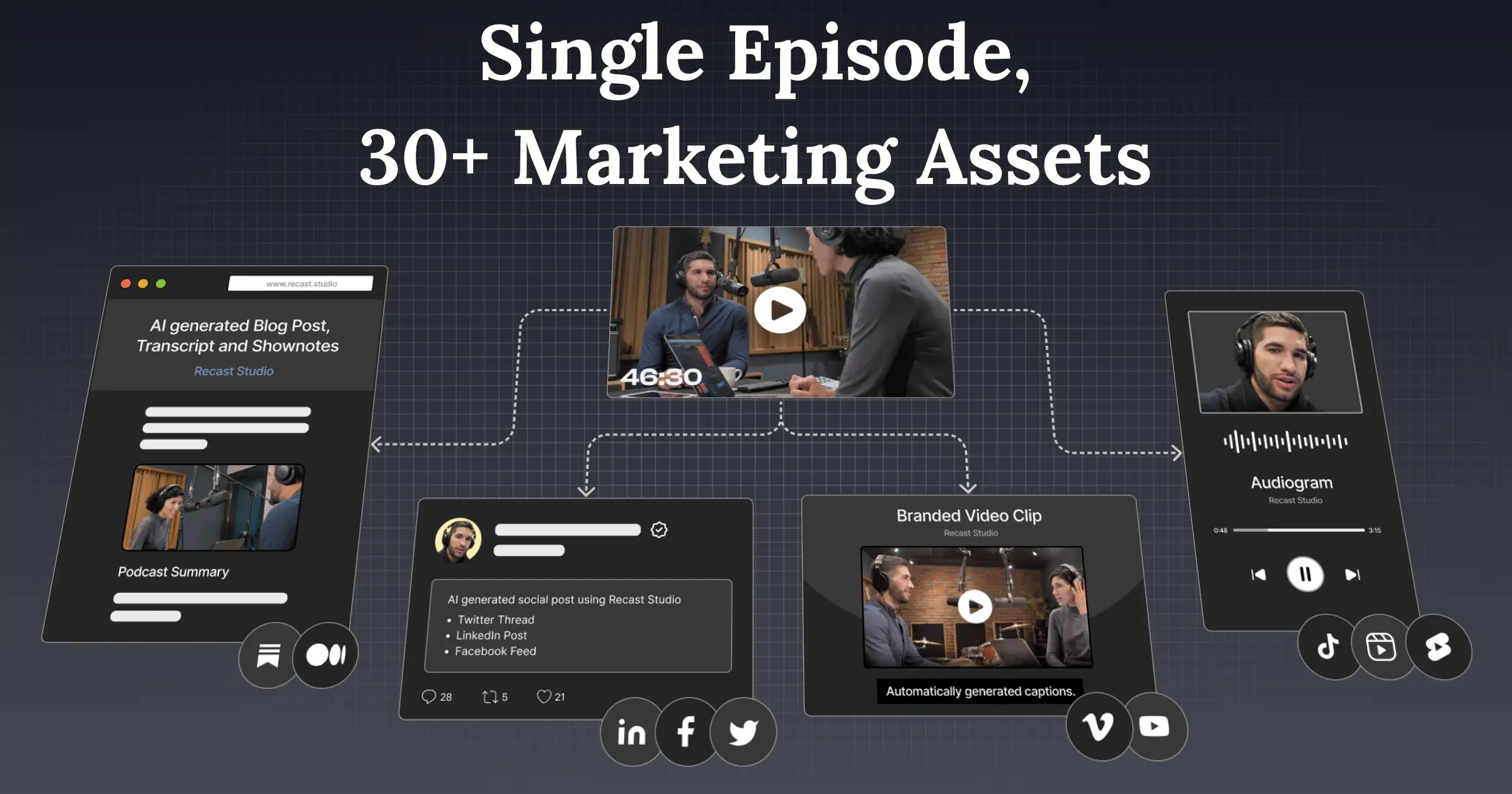
Recast Studio is an AI-driven content repurposing platform built specifically for marketing teams and podcast creators who want to maximize the reach of their audio content without hiring a video editor. By simply uploading a podcast episode, the tool automatically generates transcripts, short-form video clips, show notes, blog posts, and social media copy—all within minutes. This eliminates the tedious manual work of chopping audio into clips or writing promotional copy from scratch.
Beyond basic clip generation, Recast Studio includes a built-in editor so teams can fine-tune AI-generated outputs to match their brand voice and visual identity. Features like audiogram animations, automatic captions, and progress bars make clips more engaging for social platforms, while SEO-focused show notes and blog posts help podcasts rank better in search. It's an end-to-end solution for turning a single long-form recording into a full content marketing campaign.
Whether you're a solo podcaster trying to grow your audience or a marketing team managing multiple shows, Recast Studio removes the technical barrier to repurposing content. The platform is designed around speed and accessibility, letting non-technical users produce polished, multi-format content that would otherwise require a team of editors, writers, and social media specialists.
Capabilities & Features
- AI video editor
- Podcast repurposing
- Video clip generator
- Content automation
- Social media marketing
- SEO
- Audiogram
- Transcription
- Show notes generator
- Blog post generator
Core Features
- AI-powered video clip generation from podcast episodes
- Automatic transcript and show notes creation
- Podcast-to-blog post conversion for SEO
- Social media post and email draft generation
- Built-in transcript editor and clip customization
- Audiogram animations, automatic captions, and progress bars
Use Cases
- Turning long podcast episodes into short, shareable video clips for social media
- Generating SEO-optimized blog posts and show notes from episode transcripts
- Drafting email newsletters to announce and promote new episodes
- Repurposing audio-only content into visual, video-first formats
- Streamlining multi-channel content production for podcast marketing teams
Best For
- Marketing teams
- Podcast creators
- Social media managers
- Content creators
- Small businesses without video editing resources
Pros
- •Dramatically reduces time spent manually editing and repurposing podcast content
- •No video editing experience required to produce polished clips
- •Generates multiple content formats (video, blog, social, email) from a single upload
- •Built-in SEO support through transcripts and show notes
- •Customizable templates help maintain brand consistency
Cons
- •AI-generated content may still require manual review and editing for accuracy or tone
- •Limited creative control compared to professional video editing software
- •Quality of output depends heavily on the clarity of the original audio
- •No publicly listed pricing information available, making cost comparison difficult
How to Use
1. Upload your podcast episode (audio or video) to Recast Studio. 2. Let the AI automatically generate a transcript, show notes, social posts, and short video clips. 3. Open the built-in editor to customize clips, captions, and templates to match your brand. 4. Review and tweak the AI-generated blog posts and email drafts as needed. 5. Export and publish your repurposed content across social media, your blog, and email newsletters.
Frequently Asked Questions
Open in AI Studio
Ask our AI to evaluate if Recast Studio fits your specific workflow.
Pricing
Specific pricing details are not publicly listed, so prospective users will need to check directly with Recast Studio for current plans and costs.
Pricing data is provided as a summary. Visit the vendor website for full tier details.