Quetta Browser: Private, Ad-Free Browsing with AI Blocker
Quetta Browser is a privacy-first web browser that blocks ads and trackers with AI while keeping your data entirely your own.
Overview
Quetta Browser is built for people who are tired of being tracked, profiled, and bombarded with ads every time they go online. At its core sits an AI-powered ad blocker paired with Privacy Guard™, a dedicated shield that stops trackers, encrypts data, and prevents browser fingerprinting so advertisers can't quietly follow you across the web. Unlike mainstream browsers that monetize your browsing habits, Quetta is built on a strict no-collection policy — your data stays yours, period.
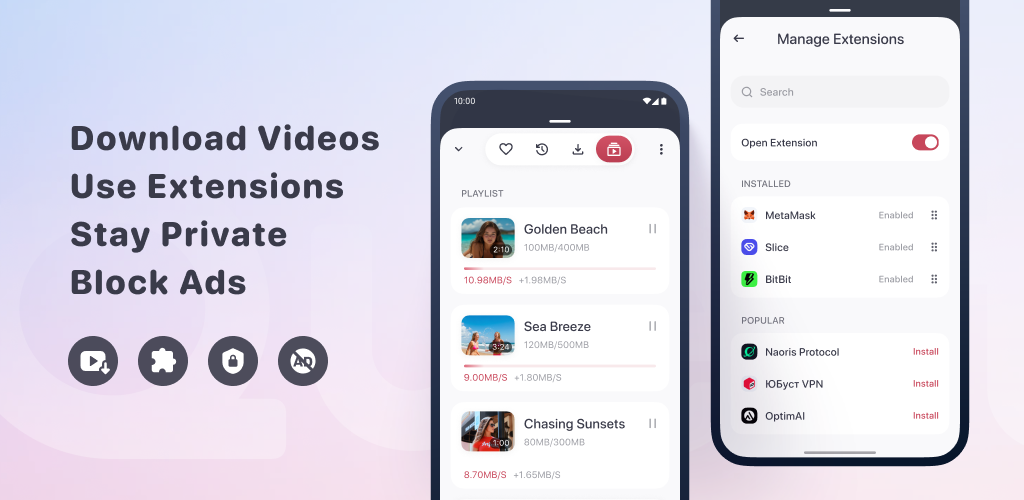
Beyond privacy, Quetta packs in genuinely useful everyday tools: a built-in video downloader for offline viewing, extension support for customization, a distraction-free reading mode, offline playlists, and one-tap PDF conversion for saving webpages. The result is a browser that feels less like a bare-bones privacy tool and more like a fully-featured daily driver, available across Android, iOS/iPadOS, macOS, and Windows.
Whether you're a privacy-conscious user trying to escape ad trackers, a mobile user craving desktop-grade features, or someone who regularly saves videos and articles for offline use, Quetta aims to consolidate security and convenience into one minimalist, easy-to-use package.
Capabilities & Features
- Privacy browser
- Ad blocker
- AI ad blocker
- Secure browser
- Mobile browser
- Video downloader
- Extension support
- Data protection
- Private browsing
- Anti-tracking
Core Features
- AI-Powered Ad Blocker
- Privacy Guard™ for tracker blocking and fingerprint prevention
- Built-in Video Downloader
- Extension Support (Chrome & Edge add-ons)
- Distraction-free Reading Mode
- Offline Playlist
- One-tap PDF Conversion
Use Cases
- Browsing privately without being tracked or profiled
- Enjoying an ad-free, cleaner web experience
- Downloading videos for offline viewing
- Customizing the browser with extensions from major stores
- Reading articles in a clutter-free reading mode
- Saving webpages as PDFs for offline reference
Best For
- Privacy-conscious users
- People wanting ad-free browsing
- Mobile users who want desktop-level features
- Frequent video downloaders
- Users who prefer a clean, minimalist interface
Pros
- •Strong focus on privacy with no data collection, storage, or sharing
- •AI-driven ad and tracker blocking improves browsing speed and comfort
- •Supports Chrome and Edge extensions for broad customization
- •Built-in video downloader and PDF conversion add convenience without extra apps
- •Available across major platforms including mobile and desktop
Cons
- •No publicly listed pricing information, making cost expectations unclear
- •Lesser-known browser may lack the extension ecosystem maturity of Chrome
- •Heavy reliance on AI blocking could occasionally misclassify legitimate content
- •Built-in video downloader may raise questions around platform terms of service compliance
How to Use
1. Download and install Quetta Browser on your device (Android, iOS/iPadOS, macOS, or Windows). 2. Open the browser and explore its minimalist, intuitive interface. 3. Enable Privacy Guard to activate tracker blocking, data encryption, and fingerprint prevention. 4. Let the AI-powered ad blocker automatically clean up your browsing experience. 5. Use the video downloader to save videos for offline viewing with a single tap. 6. Install extensions from the Chrome Web Store or Microsoft Edge Add-ons to customize functionality. 7. Switch on Reading Mode for distraction-free articles, build offline playlists, and convert webpages to PDF as needed.
Frequently Asked Questions
Open in AI Studio
Ask our AI to evaluate if Quetta Browser fits your specific workflow.
Pricing
Pricing details for Quetta Browser are not publicly listed, so potential costs or subscription tiers remain unspecified.
Pricing data is provided as a summary. Visit the vendor website for full tier details.