PDF.ai: Chat with PDFs, Summarize & Extract Data Fast
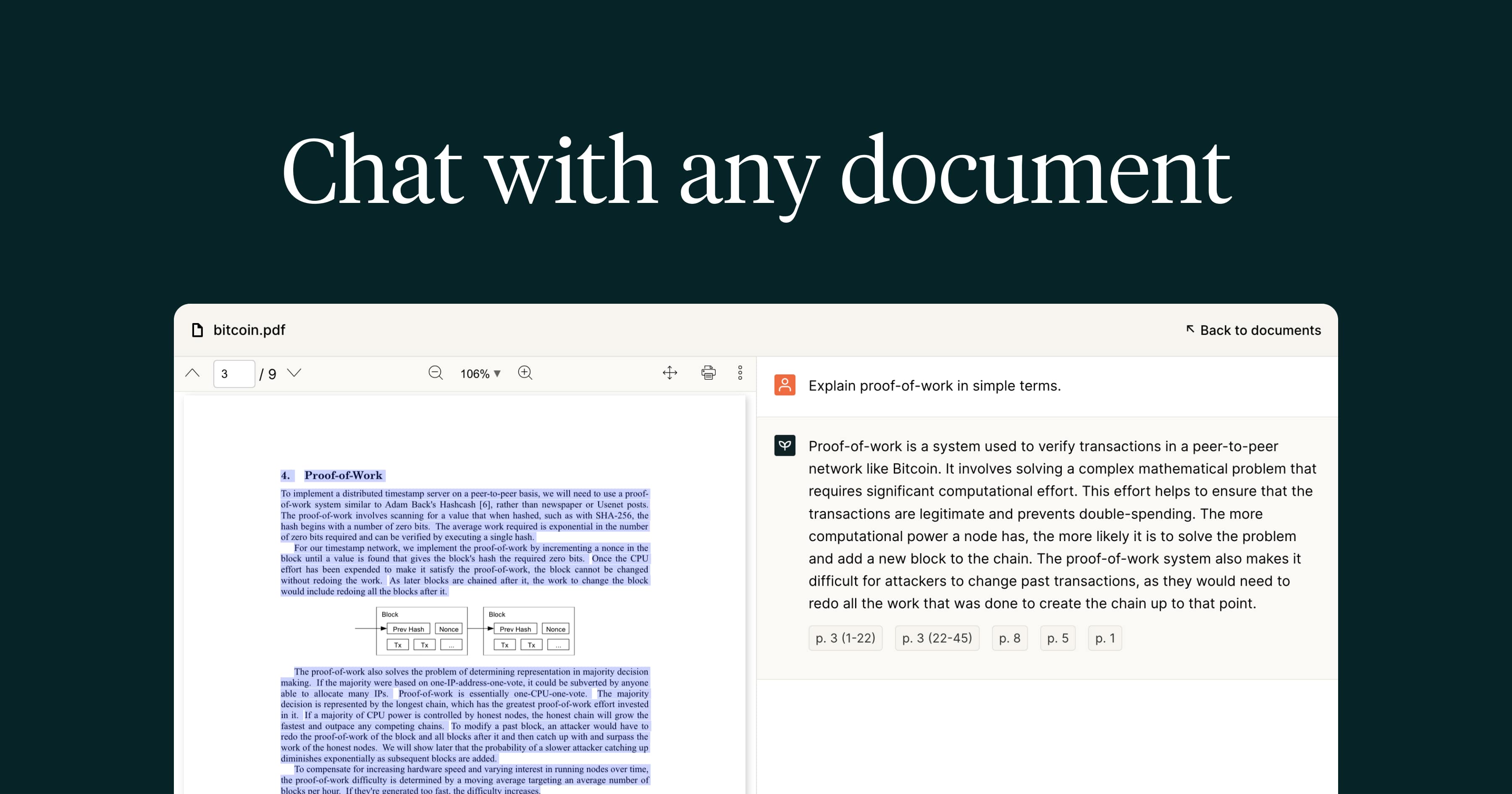
PDF.ai turns static PDF documents into interactive conversations, letting you ask questions, get instant summaries, and extract key data with cited sources.
Overview
PDF.ai transforms the way people interact with documents by turning any PDF into a conversational partner. Instead of manually scrolling through pages of legal contracts, financial reports, or scientific papers, users can simply upload a file and start chatting—asking questions, requesting summaries, or pulling out specific data points, all backed by cited sources for accuracy and trust.
Beyond basic chat functionality, the platform includes OCR support for scanned documents, AI Agents for deeper automated analysis, and a unique Capture & Ask feature that lets users screenshot content and query it instantly. Developers and businesses can extend this functionality further through the API hub and an embeddable chatbot widget, making PDF.ai as useful for building custom document workflows as it is for individual research tasks.
Whether you're a student digesting a dense textbook, a lawyer reviewing contracts, or an HR professional building training materials, PDF.ai streamlines the tedious work of reading and information retrieval into a fast, AI-driven conversation.
Capabilities & Features
- AI PDF
- ChatPDF
- PDF summarization
- PDF extraction
- Document analysis
- AI document processing
- PDF AI generator
Core Features
- Conversational chat interface for any PDF document
- Instant summarization of long or complex files
- Source-cited answers for verifiable accuracy
- OCR support for scanned and image-based PDFs
- AI Agents for automated document analysis and insight extraction
- Capture & Ask for querying screenshotted content on the fly
Use Cases
- Quickly reviewing and analyzing lengthy legal contracts
- Summarizing financial reports for faster decision-making
- Extracting key facts and quotes from books or research papers
- Simplifying complex user manuals into digestible answers
- Building employee training materials from internal documentation
- Embedding a PDF-aware chatbot widget on a company website
Best For
- Students
- Researchers
- Lawyers
- Financial analysts
- Technical writers
- HR professionals
- Developers building document-based apps
Pros
- •Saves significant time by summarizing and extracting info instead of manual reading
- •Source citations add transparency and reduce AI hallucination risk
- •OCR support means even scanned or image-based PDFs are usable
- •Scales from free personal use to enterprise-grade automation with AI Agents
- •Chrome extension and API hub allow flexible integration into existing workflows
Cons
- •Free Hobby plan is very limited with only 1 PDF and 100 questions per month
- •Access to more powerful GPT-4 and Claude 3.5 Sonnet models requires the pricier Ultimate tier
- •Advanced features like AI Agents and Capture & Ask are locked behind higher-cost plans
- •Per-user pricing on Ultimate and Enterprise plans can add up for larger teams
How to Use
1. Sign up and upload a PDF document to the PDF.ai platform. 2. Wait for the AI to process and index the file (OCR is applied automatically for scanned documents). 3. Use the chat interface to ask questions, request a summary, or search for specific details. 4. Review the AI's answers along with cited sources pointing back to the exact location in the document. 5. For advanced needs, use AI Agents for automated analysis, the Capture & Ask feature for screenshots, or integrate via the API/Chrome extension for ongoing workflows.
Frequently Asked Questions
Pricing
PDF.ai offers a free Hobby plan with basic limits, while paid tiers range from $10/mo for expanded usage on the Pro plan up to $20-$30/user/mo for Ultimate and Enterprise plans that unlock unlimited uploads, premium AI models, and advanced features like AI Agents and white-labeling.
Pricing data is provided as a summary. Visit the vendor website for full tier details.