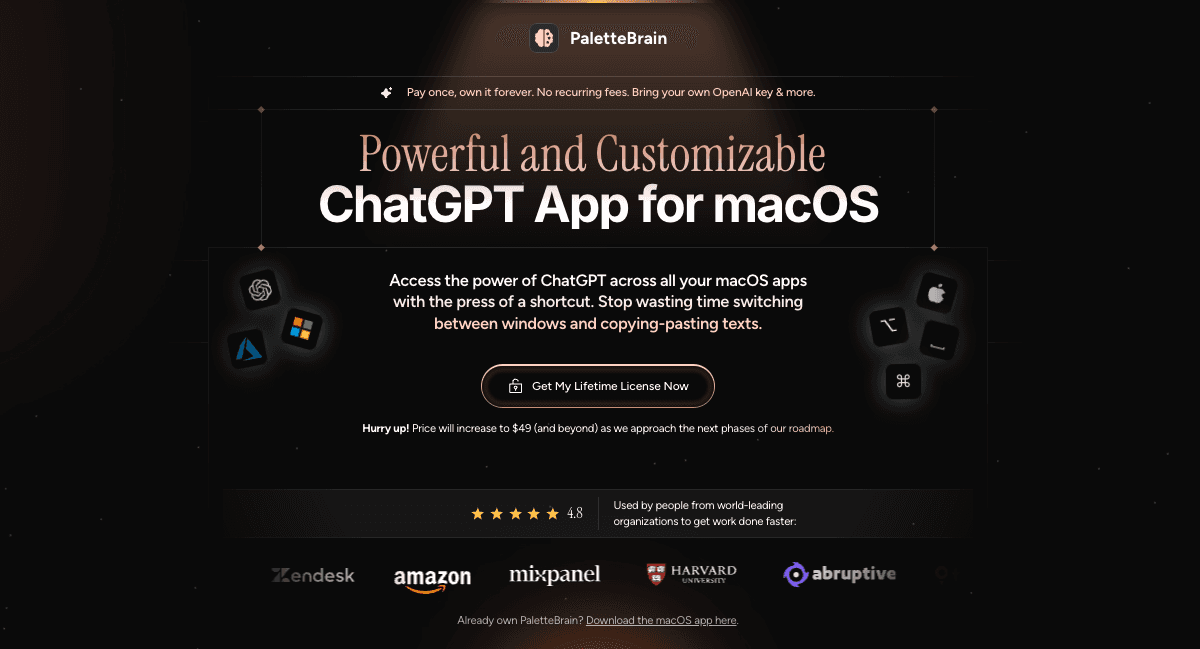
PaletteBrain: ChatGPT Shortcuts for Every macOS App
PaletteBrain brings ChatGPT to every macOS app via a simple keyboard shortcut, letting you run custom AI commands on any text without switching windows.
Overview
PaletteBrain is a macOS utility that embeds ChatGPT directly into your existing workflow. Instead of copying text into a browser tab, you highlight it anywhere—Mail, Slack, Notes, your code editor—press a shortcut, and instantly run an AI command against it. The reply pastes straight back into the original app, cutting out the endless tab-switching that usually comes with using AI tools.
The app ships with default templates for common tasks like grammar fixes, translation, and summarization, but its real strength is customization: users can build their own commands and bind them to personal shortcuts, tailoring the palette to their specific workflow. It supports both OpenAI and Microsoft Azure OpenAI, giving flexibility over which backend powers the responses.
Unlike subscription-based AI writing tools, PaletteBrain is sold as a one-time license with lifetime updates, meaning the only ongoing cost is your own API usage—typically just a few dollars a month. This makes it an appealing option for founders, marketers, teachers, and creators who want ChatGPT-level assistance baked into their daily tools without paying a recurring fee on top of API costs.
Capabilities & Features
- ChatGPT
- macOS app
- AI productivity
- Shortcuts
- Automation
- Productivity
- AI assistant
- Text transformation
- Custom commands
- OpenAI
- Azure OpenAI
Core Features
- Customizable AI commands with personal keyboard shortcuts
- Works inside any macOS app or website
- Compatible with both OpenAI and Microsoft Azure OpenAI
- One-time lifetime license with no subscription fees
- Default templates for common tasks like grammar and translation
- Fast copy-paste-free workflow via global shortcuts
Use Cases
- Fixing grammar and spelling errors in any text field
- Translating text to English on the fly
- Summarizing long content into bullet points
- Turning notes or transcripts into polished blog posts
- Automating repetitive writing tasks across Mac apps
- Drafting podcast scripts and marketing content
- Building lesson plans and quizzes for classrooms
Best For
- Founders
- Entrepreneurs
- Creators
- Marketers
- Recruiters
- Teachers
- CTOs
- Copywriters
- Remote employees
Pros
- •No recurring subscription fee—just a one-time purchase
- •Works across virtually every macOS app without switching windows
- •Fully customizable commands and shortcuts fit any workflow
- •Supports both OpenAI and Azure OpenAI for backend flexibility
- •Lifetime auto-updates included with purchase
Cons
- •Requires users to bring and manage their own OpenAI API key
- •Extra setup step compared to plug-and-play chat apps
- •macOS-only, so no support for Windows or Linux users
- •Team pricing isn't transparent and requires contacting sales
How to Use
1. Select or highlight text in any macOS application. 2. Press ⌥SPACE to open the AI command palette. 3. Choose or run a command to send the highlighted text to AI chat. 4. Review the AI's response within the palette. 5. Press ⌘⇧↵ to paste the reply directly back into your original app.
Frequently Asked Questions
Open in AI Studio
Ask our AI to evaluate if PaletteBrain fits your specific workflow.
Pricing
PaletteBrain uses one-time pricing instead of subscriptions: $29 for a single-device Personal License, $99 for a 5-device Family License, and custom quotes for Team Licenses, all with lifetime updates.
Pricing data is provided as a summary. Visit the vendor website for full tier details.