KreadoAI: AI Video Generator with Avatars & 140+ Languages
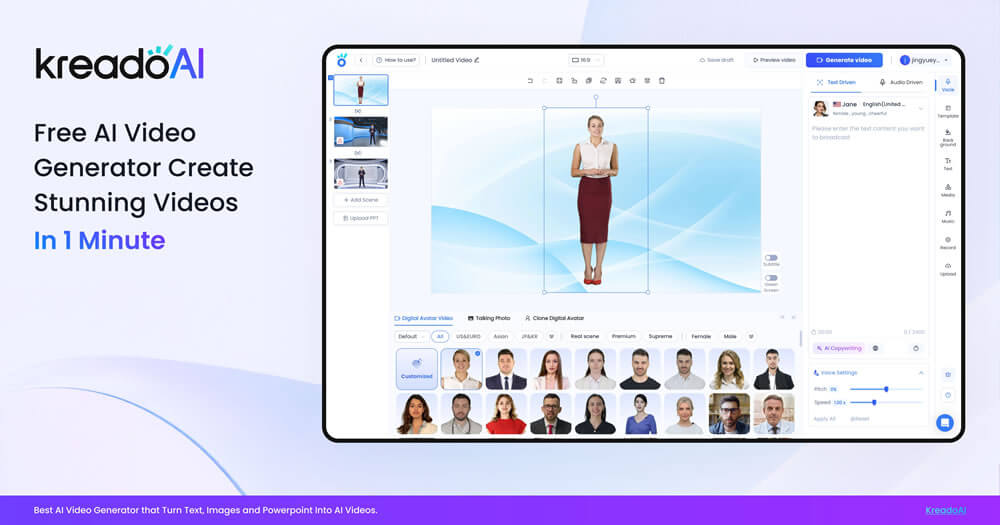
KreadoAI turns text into multilingual talking-head videos using AI avatars and voice cloning. Create marketing, training, or educational videos in 140+ languages without cameras or actors.
Overview
KreadoAI is an AI-powered video creation platform that transforms simple text or keywords into polished, multilingual spokesperson videos. Rather than hiring actors or setting up production crews, users can tap into a library of 1,000+ digital avatars and 1,600+ AI-generated voices spanning 140 languages, or clone their own likeness and voice for a personalized touch. This makes it possible to produce professional-looking oral videos at scale for global audiences.
Beyond avatar-based video generation, KreadoAI bundles a full creative toolkit including an AI script generator, image-to-video conversion, background removal, and even a URL-to-video feature that can repurpose existing web content into engaging clips. Whether crafting a marketing pitch, a training module, or a healthcare explainer, the platform streamlines the entire process from scripting to final export.
Designed for teams that need to move fast across languages and formats, KreadoAI appeals to marketers, educators, localization specialists, and enterprises alike. Its combination of avatar cloning, voice cloning, and multilingual support positions it as a versatile alternative to traditional video production, cutting both cost and turnaround time.
Capabilities & Features
- AI video generator
- AI voice generator
- Digital avatars
- Text to video
- AI marketing
- Multilingual video
- Video localization
- AI tools
- Video editing
- Content creation
Core Features
- AI video generation with 1,000+ digital avatars
- AI voice generation and voice cloning across 140+ languages
- Custom avatar cloning from uploaded photos or videos
- AI script and text generator for marketing copy
- Image-to-video conversion and AI image background remover
- URL-to-video tool for repurposing web content
Use Cases
- Producing multilingual marketing videos for global campaigns
- Localizing existing video content into new languages
- Creating educational explainer videos for online courses
- Developing internal training videos for employee onboarding
- Communicating healthcare information through avatar-led videos
Best For
- Marketing teams
- Localization specialists
- Educators
- Corporate trainers
- Healthcare professionals
- Small businesses
- Enterprises
Pros
- •Extensive library of 1,000+ avatars and 1,600+ voices reduces production time
- •Supports 140+ languages, ideal for global localization needs
- •Avatar and voice cloning enable personalized, branded content
- •All-in-one toolkit covers scripting, editing, and image tools without extra software
- •Free plan lets new users test core features before committing
Cons
- •Free plan is limited to just 3 minutes of video and 10 minutes of text-to-speech
- •AI-generated avatars may still lack the nuance of professionally filmed talent
- •Heavy reliance on templates and avatars could limit creative customization for advanced users
- •Voice and avatar cloning quality may vary depending on source material
How to Use
1. Choose an avatar: select a default digital avatar, upload your own image, or use a video for cloning. 2. Write or generate your script using the AI script generator. 3. Pick a voice from over 1,600 AI voices across 140+ languages. 4. Customize the video layout, add background music and visual effects. 5. Generate the video, then download or share it directly.
Frequently Asked Questions
Open in AI Studio
Ask our AI to evaluate if kreado_AI video creation platform fits your specific workflow.
Pricing
KreadoAI offers a free plan with 3 minutes of video creation, 10 minutes of text-to-speech, and access to 100+ avatars, with paid tiers likely unlocking expanded usage and features.
Pricing data is provided as a summary. Visit the vendor website for full tier details.