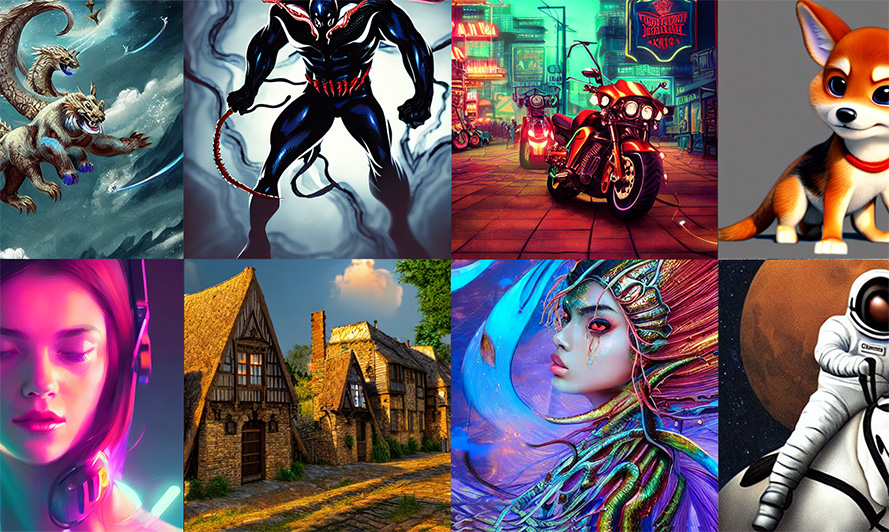
Hotpot.ai: AI Graphic Design & Art Generator Tool
Hotpot.ai is an all-in-one AI design suite that lets anyone generate art, headshots, mockups, and marketing graphics without design skills.
Overview
Hotpot.ai is a versatile AI-powered creative studio that combines dozens of design and image-editing tools under one roof. Whether you need a striking piece of AI-generated art, a professional headshot, an upscaled photo, or polished ad copy, Hotpot.ai's suite of generators and editors handles the heavy lifting so you don't need a background in design or writing.
Beyond raw AI generation, the platform offers ready-made templates for social media posts, app icons, device mockups, and marketing visuals, letting users customize professional-grade graphics in minutes. Built-in editing tools like background removers, object erasers, and photo restorers round out the toolkit, making Hotpot.ai a practical one-stop shop for designers, marketers, developers, and content creators who need fast, polished visuals and text.
The platform's blend of automation and customization means beginners can produce work that looks professionally designed, while experienced creatives can speed up repetitive tasks like mockups and copywriting. It's especially useful for teams juggling multiple visual content needs across social platforms, apps, and marketing campaigns.
Capabilities & Features
- AI graphics
- AI art generator
- AI headshots
- Photo editing
- Image upscaling
- Background removal
- Object removal
- AI copywriting
- Social media graphics
- App icons
- Marketing images
- Device mockups
- Templates
- AI tools
- Graphic design
- Image editing
- AI avatars
- AI game tools
Core Features
- AI Art Generator for original visual creations
- AI Headshot Generator for professional portraits
- AI Photo Upscaler to enhance image resolution
- AI Copywriter for automated text generation
- AI Image Editing Tools including background and object removal
- Device Mockups & App Graphics for product presentations
- Customizable templates for social media and marketing
Use Cases
- Creating eye-catching social media graphics
- Generating app icons for mobile and web apps
- Designing marketing images and ad creatives
- Producing realistic device mockups for product showcases
- Automating copywriting for captions and marketing text
- Upscaling low-resolution photos and artwork
- Removing backgrounds or unwanted objects from images
- Generating polished AI headshots for profiles and resumes
Best For
- Designers
- Marketers
- Social media managers
- App developers
- Game developers
- Writers
- Educators
- Influencers
Pros
- •Combines multiple AI design tools in a single platform
- •Beginner-friendly with customizable templates
- •Covers a wide range of use cases from art to copywriting to photo editing
- •Free tier available for exploring most tools
- •Useful for both quick personal projects and professional commercial work
Cons
- •Commercial usage and advanced settings require paid credits
- •Pricing isn't transparent upfront and varies by tool and settings
- •Having so many tools in one platform can feel overwhelming for new users
- •Output quality may vary depending on the specific AI model used per tool
How to Use
1. Browse Hotpot.ai's library of tools and templates to find the one that matches your project (art generation, headshots, mockups, copywriting, etc.). 2. Select your desired tool and adjust the settings or prompts to fit your vision. 3. Let the AI generate your design, image, or text automatically. 4. Fine-tune the result using Hotpot's editing tools if needed. 5. Download your creation for free, or purchase credits (around $1 per graphic) for commercial use or advanced settings.
Frequently Asked Questions
Connect & Contact
Pricing
Hotpot.ai offers free access to most tools for exploration, with credit-based pricing (roughly $1 per graphic) required for commercial use or advanced settings; exact costs vary by tool and adjust as you customize your design.
Pricing data is provided as a summary. Visit the vendor website for full tier details.