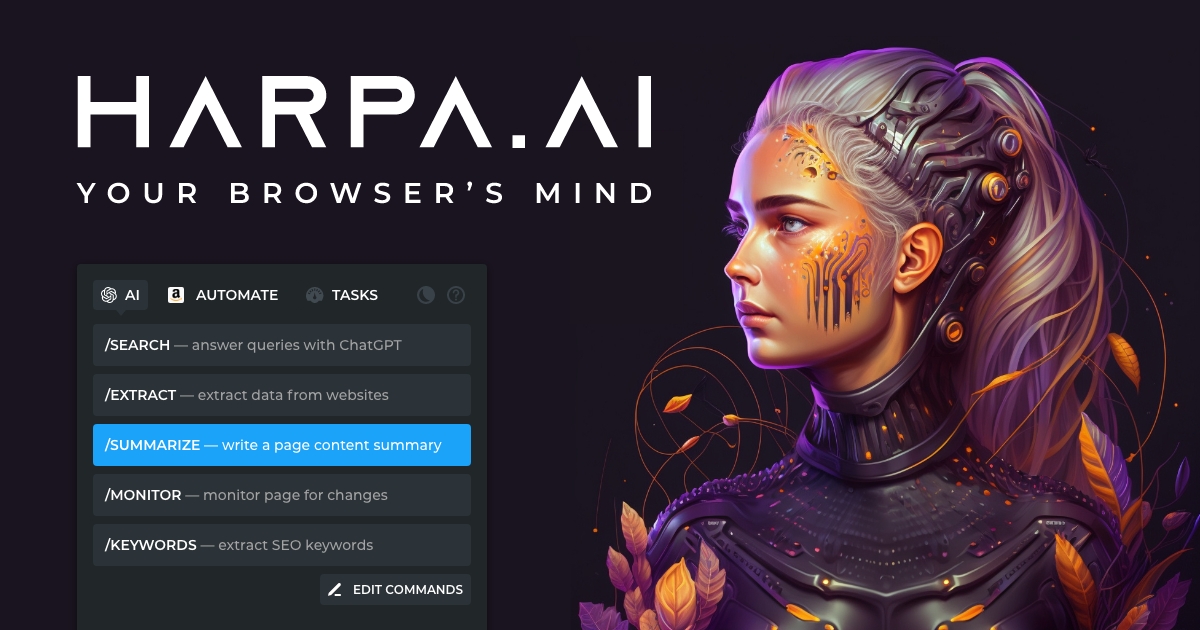
HARPA AI: Chrome Extension for AI Web Automation
HARPA AI is a Chrome extension that brings ChatGPT, Claude, and Gemini directly into your browser to automate web tasks like data extraction, summarization, and monitoring.
Overview
HARPA AI transforms your Chrome browser into a powerful no-code automation hub by merging multiple leading AI models—ChatGPT, Claude, Gemini, and more—into a single accessible toolbar. Rather than switching between tabs and copy-pasting content into separate chatbots, users can trigger AI actions directly on any webpage, whether that's summarizing an article, extracting structured data, or drafting an email reply on the fly.
Beyond simple AI chat, HARPA functions as a full RPA (robotic process automation) platform for everyday web work. It can track competitor pricing, monitor web pages for changes, run SEO audits, generate Midjourney prompts, and even assist with language learning—all through customizable commands and pre-built automations. This makes it especially useful for marketers, researchers, and e-commerce teams who need to repeatedly gather and analyze web-based information without manual effort.
By combining a hybrid AI engine with built-in automation logic, HARPA reduces the friction between 'finding information' and 'acting on it.' Its privacy-first architecture ensures automations run locally, giving users confidence that sensitive browsing data isn't being harvested or used to train external models.
Capabilities & Features
- AI
- Automation
- Chrome extension
- RPA
- ChatGPT
- Claude
- Gemini
- Web scraping
- Data extraction
- SEO
- Copywriting
- Productivity
- Price tracking
- Web monitoring
- Language learning
- Midjourney
- NoCode
Core Features
- Multi-model AI access (ChatGPT, Claude, Gemini) in one toolbar
- No-code web automation and custom command builder
- Automated data extraction and web scraping
- Price, stock, and competitor change tracking
- AI-powered SEO auditing tools
- Platform integrations for Gmail, LinkedIn, and more
- Midjourney prompt and language-learning assistants
Use Cases
- Automating copywriting workflows and content drafts
- Managing high-volume email and social media responses
- Building SEO keyword research and content plans
- Tracking competitor website changes in real time
- Monitoring e-commerce prices for drops or restocks
- Reviewing and improving resumes or cover letters
- Generating detailed Midjourney art prompts
Best For
- Marketing professionals
- SEO specialists
- Copywriters and content creators
- Market researchers
- Recruiters
- E-commerce businesses
- Digital marketing teams
- Language learners
Pros
- •Consolidates multiple AI models into a single browser interface
- •Strong automation capabilities beyond basic chat, including scheduling and monitoring
- •Privacy-focused design that avoids storing browsing data remotely
- •Flexible pricing with a lifetime option for long-term users
- •Useful for both casual tasks and advanced no-code workflows
Cons
- •Free plan is fairly limited in daily messages and automations
- •Advanced features may require connecting external API keys or paid AI providers
- •Token-based system can be confusing for users unfamiliar with usage metering
- •Learning curve for building custom automations beyond pre-built prompts
How to Use
1. Install the HARPA AI extension from the Chrome Web Store. 2. Press Alt + A on any webpage to open the AI toolbar and access ChatGPT, Claude, or Gemini instantly. 3. Choose from pre-built prompts for tasks like summarizing, translating, or extracting data, or build your own custom automation. 4. Set up monitoring tasks (like price tracking or competitor alerts) to run automatically in the background. 5. Connect your preferred AI provider—OpenAI, Claude, Gemini, or HARPA's own CloudGPT—based on your plan.
Frequently Asked Questions
Pricing
HARPA AI offers a limited free plan, with paid subscriptions starting at $13.2/month (billed annually) for expanded AI access, plus a one-time lifetime plan at $264 and optional token add-ons.
Pricing data is provided as a summary. Visit the vendor website for full tier details.