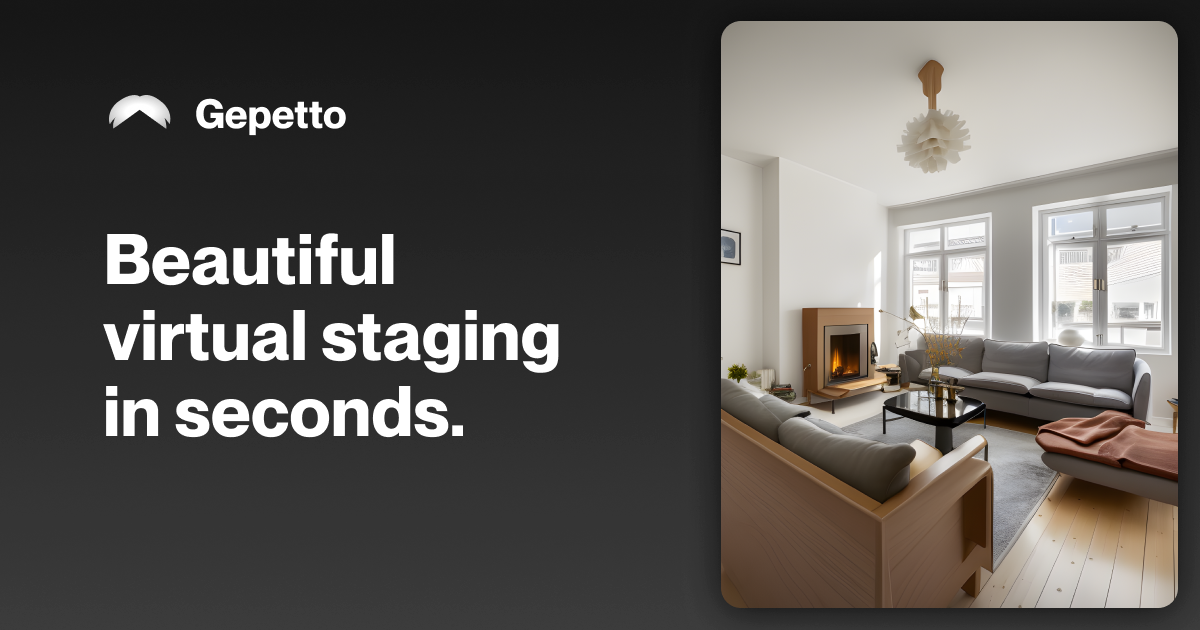
Gepetto AI: Instant Virtual Staging & Interior Design Tool
Gepetto is an AI-powered virtual staging tool that redesigns any room into 30+ styles from a single photo in seconds, helping real estate listings stand out.
Overview
Gepetto is an AI-driven interior design and virtual staging platform built to transform how real estate professionals and designers present properties. By simply uploading a photo of a room, users can generate photorealistic renders in over 30 distinct design styles, instantly furnishing empty spaces or reimagining outdated interiors without the cost or delay of physical staging. This makes it easy to help buyers and renters visualize a property's true potential, ultimately driving more inquiries and faster sales.
Beyond basic staging, Gepetto packs a suite of image-enhancement tools designed specifically for property marketing. Users can remove clutter or unwanted objects, repaint walls, renovate outdoor spaces, and even swap a dreary gray sky for bright sunshine—all with a few clicks. An auto-enhance feature further polishes photo quality, ensuring every listing photo looks professional and market-ready.
With flexible masking tools that let users preserve specific architectural elements like flooring or fireplaces, Gepetto strikes a balance between creative transformation and realistic accuracy. It's a fast, scalable solution for real estate agents, interior designers, agencies, and photographers who need high-quality visuals without hiring a stylist or scheduling a physical staging shoot.
Capabilities & Features
- Interior design
- Virtual staging
- AI
- Renovation
- Photo enhancement
- Real estate
- Furnishing
- Decluttering
- Sky enhancement
- Wall painting
Core Features
- AI virtual staging for empty rooms
- Interior redesign across 30+ styles
- Sky transformation for outdoor photos
- Object and clutter removal
- Automatic photo quality enhancement
- Wall repainting and outdoor space design
Use Cases
- Staging vacant properties to boost buyer interest
- Modernizing outdated interiors for listing photos
- Converting overcast exterior shots into bright, sunny scenes
- Removing unwanted furniture or visual defects from photos
- Repainting walls virtually to test color schemes before renovation
Best For
- Real estate agents
- Interior designers
- Property photographers
- Real estate agencies
Pros
- •Generates realistic staged interiors in seconds from a single photo
- •Wide variety of over 30 design styles to suit different tastes
- •Multiple editing tools beyond staging, including sky and wall transformation
- •Custom mask tool allows precise control over which elements to preserve
- •Commercial usage rights included on paid plans with no watermark
Cons
- •Smart Staging and Magic enhancement credits are capped even on higher-tier plans
- •Higher-volume needs (large agencies) require the priciest Enterprise tier
- •Results depend on the quality and resolution of the uploaded photo
- •No fully unlimited plan for Smart Staging renders
How to Use
1. Upload a photo of the room or space you want to transform. 2. Specify the room type (living room, bedroom, kitchen, exterior, etc.). 3. Choose from more than 30 available design styles. 4. Generate a high-quality AI render in seconds. 5. Use the custom mask tool to protect or edit specific areas like walls, floors, or fireplaces. 6. Apply additional tools as needed—renovate outdoor areas, repaint walls, brighten the sky, remove objects, or auto-enhance photo quality. 7. Download or store your finished renders in your Projects dashboard.
Frequently Asked Questions
Pricing
Gepetto offers four monthly subscription tiers ranging from €21 for the Hobby plan up to €390 for the Enterprise plan, with all paid tiers including commercial usage rights, HD upscaling, and no watermark, while a free trial is available to test the tool.
Pricing data is provided as a summary. Visit the vendor website for full tier details.