Edit Videos Online – Free No-Watermark Video Editor
A free, browser-based video editor that lets you trim, merge, and enhance clips with AI-powered tools—no sign-up, no watermarks.
Overview
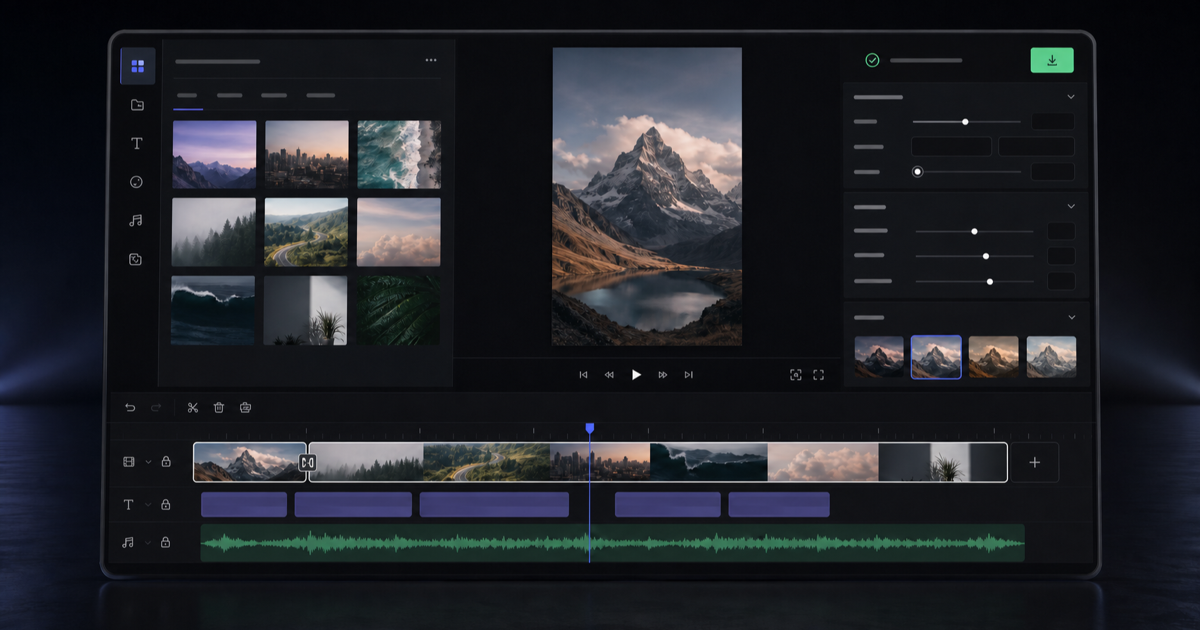
Edit-Videos-Online.com is a no-cost, web-based video editing suite built for creators who want professional results without the hassle of downloads or subscriptions. Whether you're merging clips, trimming footage, or layering in text and effects, the platform delivers a clean, intuitive workspace accessible straight from your browser. There's no account creation required, and every export leaves your video free of watermarks, making it a practical choice for anyone who wants to produce polished content fast.
Beyond basic cutting and merging, the tool leans into AI-assisted features like automatic background removal and caption generation, saving hours of manual work typically reserved for premium desktop software. Add music, images, or text overlays to build out your story, then export in the format and resolution that fits your platform of choice. Because it supports all major video formats, it works equally well for social media clips, marketing reels, or personal projects.
From total beginners to seasoned content professionals, the tool's blend of simplicity and smart automation makes it a versatile pick. Social media managers and marketers can churn out branded content quickly, while hobbyists get access to editing capabilities that once required steep learning curves or expensive licenses.
Capabilities & Features
- online video editor
- video editing
- video cutter
- free video editor
- no watermark
- caption generation
- background removal
- text to video
- audio to video
- image to video
Core Features
- Full-featured online video editor accessible from any browser
- AI-powered automatic background removal
- Automatic caption generation for accessibility and engagement
- Text, image, and audio overlay tools
- Support for all major video formats and export resolutions
- Watermark-free exports on every plan
Use Cases
- Producing polished social media content without watermarks
- Adding branded captions and text overlays to marketing videos
- Removing backgrounds for product or presentation videos
- Merging and trimming raw footage into a cohesive story
- Adding voiceovers or background music to enhance video engagement
Best For
- Beginners with no editing experience
- Professional video editors
- Content creators
- Social media managers
- Marketing teams and agencies
Pros
- •No sign-up or installation required to start editing
- •Exports are completely free of watermarks
- •AI tools like background removal and auto-captioning save editing time
- •Supports a wide range of common video formats
- •Simple enough for beginners, robust enough for experienced editors
Cons
- •Being browser-based, performance may depend on device and connection speed
- •Advanced AI features may have limitations compared to dedicated desktop software
- •One-time lifetime pricing may not include newer premium features added later
- •No mention of collaborative or team-based editing tools
How to Use
1. Visit Edit-Videos-Online.com and upload your video file directly in the browser—no account needed.
2. Use the editing toolkit to trim, merge, add text, images, audio, or apply automatic background removal.
3. Generate captions automatically if needed for accessibility or social reach.
4. Preview your edits within the timeline.
5. Export the finished video in your chosen format and resolution, ready to share or publish.
Frequently Asked Questions
Open in AI Studio
Ask our AI to evaluate if Edit Videos Online fits your specific workflow.
Connect & Contact
Pricing
Available as a single lifetime deal for $29.99, granting unlimited access to all editing tools, AI features, and future updates with no recurring subscription fees.
Pricing data is provided as a summary. Visit the vendor website for full tier details.