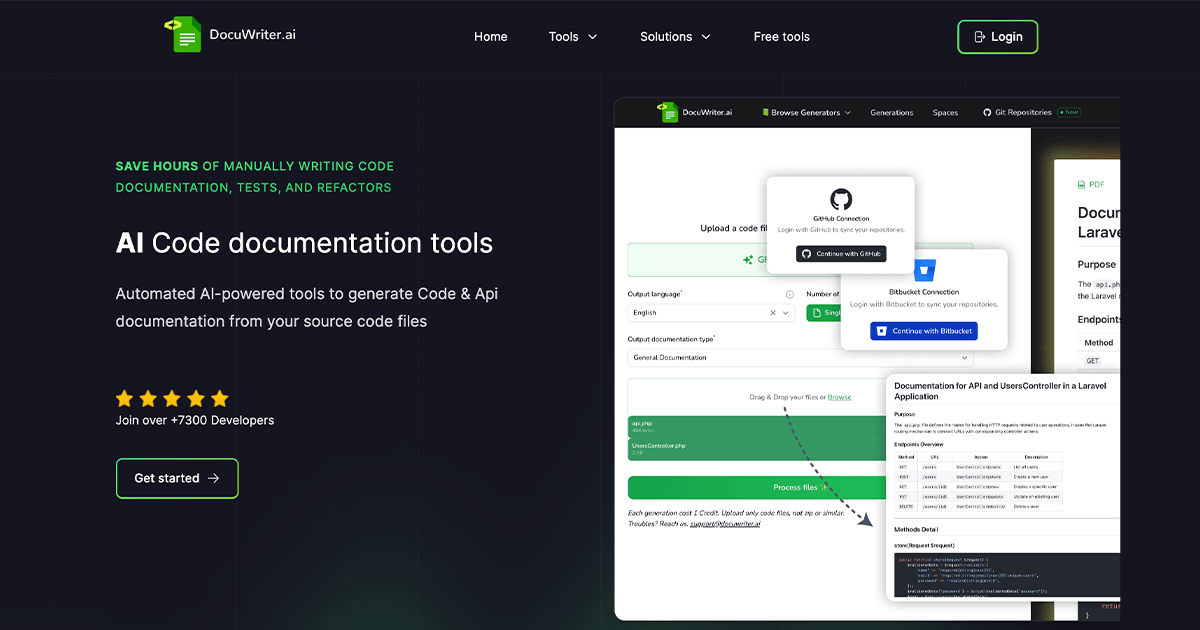
DocuWriter.ai: AI Code Documentation & Testing Tool
DocuWriter.ai uses GPT-4 to instantly generate documentation, tests, and refactored code from your source files, saving developers hours of manual work.
Overview
DocuWriter.ai is an AI-driven productivity tool built for developers who'd rather write code than write about it. By simply uploading source files, users can automatically generate comprehensive documentation, full test suites, and optimized refactors—all powered by GPT-4 and capable of handling multiple programming languages. It effectively eliminates one of the most tedious parts of the development lifecycle: keeping documentation and tests up to date with a constantly evolving codebase.
Beyond documentation and testing, the platform also acts as a code optimization and translation engine. Its intelligent refactoring feature helps clean up legacy or messy code for better readability and maintainability, while the code language converter allows teams to translate snippets between frameworks or languages (like converting Bootstrap to TailwindCSS) without starting from scratch. With export options for Markdown and PDF, plus Zapier integrations for workflow automation, DocuWriter.ai fits neatly into existing developer toolchains.
Whether you're a solo freelancer trying to keep client projects well-documented, or an enterprise team managing sprawling legacy systems, DocuWriter.ai scales its credit-based system to match usage needs. It's positioned as a practical time-saving assistant for anyone who values clean, well-tested, and well-documented code but doesn't want to spend hours doing it manually.
Capabilities & Features
- AI Code Documentation
- Automated Testing
- Code Refactoring
- Code Optimization
- Code Conversion
- AI Tools
- Software Development
- Documentation Generator
- Test Generation
- Code Analysis
Core Features
- Automated code documentation generation across multiple languages
- AI-powered test suite generation for stronger code coverage
- Intelligent code refactoring and optimization for legacy code
- Code language/framework converter (e.g., Bootstrap to TailwindCSS)
- Markdown and PDF export options
- Zapier integration and unlimited generation history
Use Cases
- Generating up-to-date documentation for a JavaScript codebase
- Building a complete test suite for a Python application
- Refactoring legacy code to improve readability and maintainability
- Converting UI code between frameworks, such as Bootstrap to TailwindCSS
- Standardizing documentation practices across an agency's client projects
Best For
- Software Developers
- Freelancers
- Small Businesses
- Agencies
- Enterprises
Pros
- •Saves significant time on manual documentation and test writing
- •Supports multiple programming languages out of the box
- •GPT-4 powered results tend to be accurate and context-aware
- •Flexible export formats (Markdown, PDF) and Zapier integration for automation
- •Scalable credit-based plans suited to freelancers up to enterprises
Cons
- •No permanent free plan—only a 5-day trial
- •Credit-based system may require careful usage tracking on lower tiers
- •Code language converter is still in Beta, so results may need manual review
- •Higher-tier Enterprise pricing may be steep for very small teams
How to Use
1. Sign up for a DocuWriter.ai account and start the free trial. 2. Upload your source code files directly to the platform. 3. Choose the action you need: generate documentation, create a test suite, refactor/optimize the code, or convert it to another language. 4. Let the AI process the file, consuming credits based on usage. 5. Review, export (Markdown or PDF), and integrate the output into your project, using Zapier for further workflow automation if needed.
Frequently Asked Questions
Open in AI Studio
Ask our AI to evaluate if DocuWriter.ai fits your specific workflow.
Connect & Contact
Pricing
DocuWriter.ai offers a 5-day free trial with no permanent free tier, followed by paid plans starting at $29/month for 200 credits, scaling up to $995/month for unlimited credits and exclusive enterprise support.
Pricing data is provided as a summary. Visit the vendor website for full tier details.