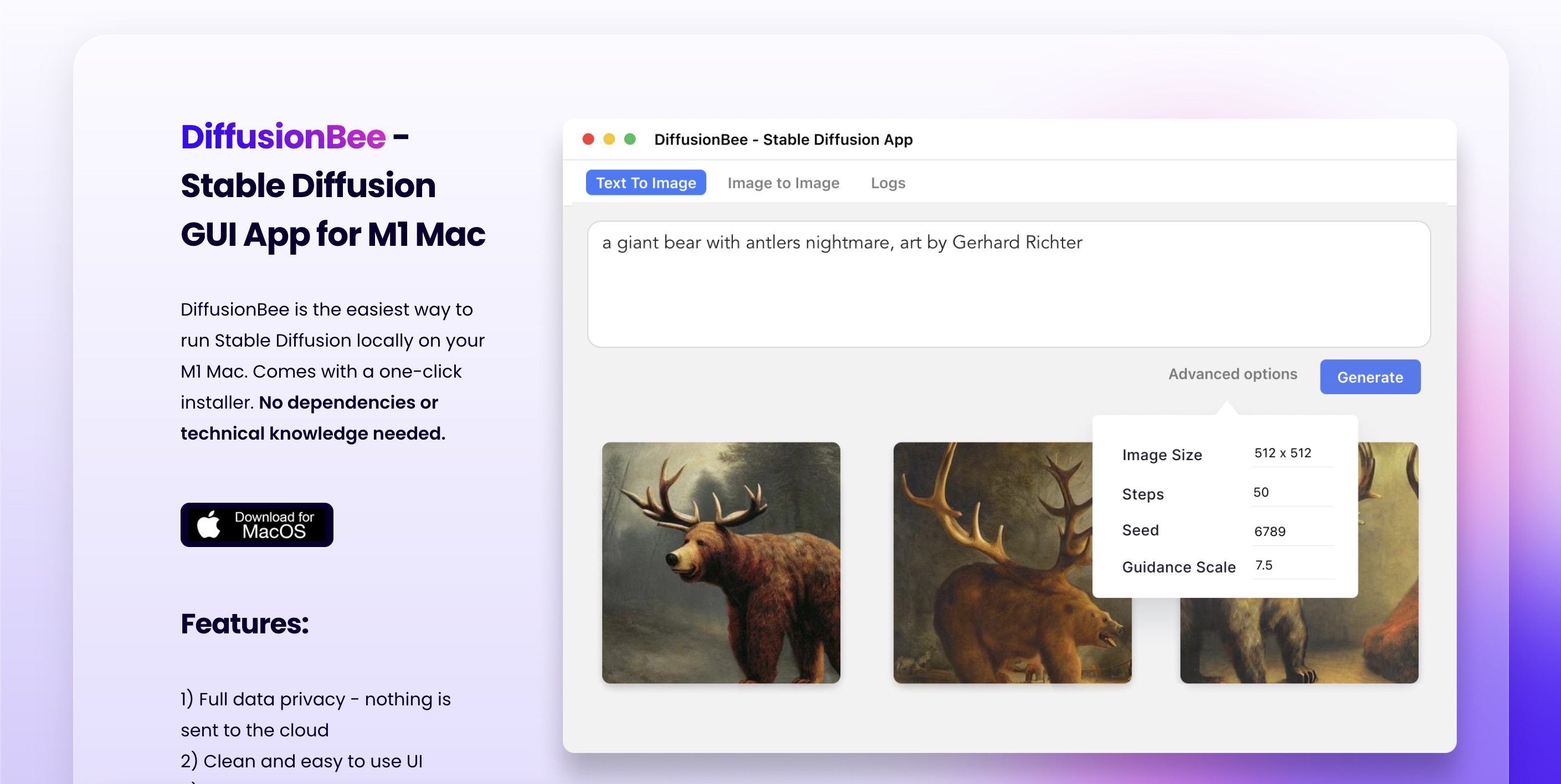
DiffusionBee: Free Local Stable Diffusion AI Art App
DiffusionBee is a free, privacy-friendly app that lets you generate stunning AI art locally on your Mac using Stable Diffusion—no cloud, no subscriptions.
Overview
DiffusionBee brings the power of Stable Diffusion straight to your desktop, removing the need for cloud servers, API keys, or monthly fees. Built with a clean, beginner-friendly interface, it lets anyone—from curious hobbyists to seasoned digital artists—turn text prompts into detailed images, edit existing photos, and explore creative AI tools without ever leaving their machine. Because everything runs locally, your prompts and images stay completely private.
Beyond basic text-to-image generation, DiffusionBee packs a surprisingly deep toolkit: generative fill for adding or removing objects, image-to-image transformation, upscaling for higher resolution outputs, variant generation, and even custom model training. Creative extras like control image guidance and an illusion generator make it easy to produce unique, structured, or optical-illusion-style artwork. Video tools round out the package, letting users experiment with AI-driven animation.
Optimized primarily for macOS—especially Apple Silicon machines—DiffusionBee is a great entry point for anyone wanting to explore generative AI art without navigating complex installations or paying for cloud compute. While Intel Macs are supported, performance is noticeably faster on M-series chips, making DiffusionBee best suited for users with modern Apple hardware.
Capabilities & Features
- AI art
- Stable Diffusion
- Image generation
- Text-to-image
- Generative fill
- Image upscaling
- Video generation
- Image editing
- Model training
- Local AI
Core Features
- Text-to-Image generation from simple prompts
- Generative Fill for adding or removing objects in images
- Image-to-Image transformation using text guidance
- Image Upscaler for enhancing resolution and detail
- Image Variants for exploring creative alternatives
- Custom Model Training on user-provided datasets
- Control Images for structured, guided generation
- Illusion Generator for creative optical-art effects
Use Cases
- Generating original artwork from text descriptions for personal or commercial projects
- Editing photos by adding, removing, or altering objects with generative fill
- Upscaling low-resolution images for print or digital use
- Training custom AI models on personal datasets for personalized art styles
- Creating unique illusion-based visuals for social media or design projects
Best For
- Digital artists
- Graphic designers
- Hobbyist creators
- Content creators
- AI and Stable Diffusion enthusiasts
Pros
- •Completely free to use with no subscription required
- •Runs entirely offline, keeping prompts and images private
- •Wide range of tools beyond basic text-to-image generation
- •Supports custom model training for personalized results
- •Simple, approachable interface for non-technical users
Cons
- •Primarily optimized for macOS, limiting cross-platform use
- •Performance is significantly slower on Intel Macs without dedicated graphics
- •Requires macOS 13.1 or higher, excluding older systems
- •Local processing speed depends heavily on hardware specs
How to Use
1. Download and install DiffusionBee on a macOS or Intel-based machine. 2. Open the app and choose a tool such as Text to Image, Generative Fill, or Image to Image. 3. Enter a descriptive text prompt or upload a reference image, depending on the tool. 4. Adjust any available settings like style, resolution, or control images. 5. Click generate and let DiffusionBee process everything locally on your device. 6. Use additional tools like Upscaler, Variants, or the Illusion Generator to refine or expand your results.
Frequently Asked Questions
Open in AI Studio
Ask our AI to evaluate if DiffusionBee fits your specific workflow.
Pricing
DiffusionBee is completely free to download and use, with no paid tiers or subscription plans listed.
Pricing data is provided as a summary. Visit the vendor website for full tier details.