Descript Review: AI Video & Podcast Editing Made Easy
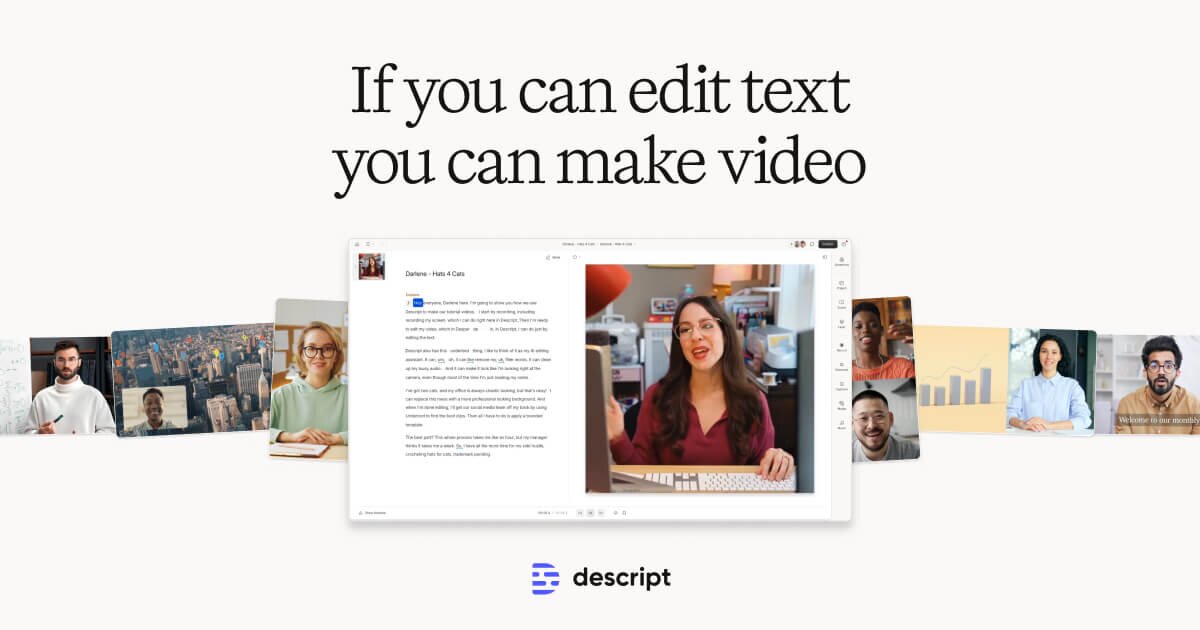
Descript reinvents audio and video editing by letting you cut, polish, and enhance content simply by editing a text transcript.
Overview
Descript flips traditional editing on its head by turning your audio and video into an editable text document. Instead of wrestling with timelines and waveforms, you type or delete words to cut clips, remove filler sounds, and rearrange scenes—Descript automatically syncs the underlying media to match your text edits. Powered by industry-leading transcription accuracy and a suite of AI tools, it dramatically shortens the path from raw recording to polished final cut.
Beyond text-based editing, Descript packs in advanced AI capabilities like voice cloning, studio-quality sound enhancement, automatic eye contact correction, green screen removal, and multi-language dubbing. Whether you're recording a multitrack podcast, producing a corporate training video, or spinning up social clips from a long-form webinar, Descript's toolkit handles the heavy lifting so creators can focus on storytelling rather than technical minutiae.
Designed for a broad range of users—from solo podcasters to enterprise marketing and support teams—Descript scales from simple transcript cleanup to full-featured, AI-assisted video production. Its combination of collaborative document-style editing and cutting-edge AI features makes it a standout choice for anyone looking to produce professional audio and video content faster.
Capabilities & Features
- Video editing
- Audio editing
- Podcast editing
- Transcription
- AI
- Text-based editing
- Voice cloning
- Captions
- Subtitles
- Screen recording
- Video regenerate
- AI Green Screen
- Studio Sound
- Filler Word Removal
- Eye Contact
Core Features
- Text-based video and audio editing
- Automatic, industry-leading transcription accuracy
- AI speech generation and voice cloning
- Filler word removal and Studio Sound enhancement
- Eye contact correction and green screen removal
- AI-powered clip creation, captioning, and video translation
Use Cases
- Producing podcasts and multitrack recordings
- Creating marketing videos and product demos
- Repurposing long-form content into social media clips
- Recording and editing webinars and tutorials
- Building internal training and sales enablement videos
Best For
- Podcasters
- YouTubers
- Content creators
- Marketing teams
- Sales teams
- Learning & Development teams
- Customer support teams
- Video editors
Pros
- •Editing via text transcript dramatically speeds up the editing workflow
- •Powerful AI tools like filler word removal and Studio Sound reduce need for manual cleanup
- •Eye contact correction and green screen removal add professional polish without extra hardware
- •Built-in translation and dubbing support global content distribution
- •Scales from casual creators to full production teams with tiered feature access
Cons
- •Free plan is limited to just 1 transcription hour per month with watermarked exports
- •Advanced AI features like avatars and extended AI speech are capped even on paid tiers
- •Higher-end features such as 4K export and unlimited advanced AI require the pricier Creator plan
- •Learning to fully leverage AI voice cloning and dubbing tools may take time for new users
How to Use
1. Upload your audio or video file to Descript. 2. Let the AI automatically transcribe your recording with high accuracy. 3. Edit the generated text transcript—cut, copy, or rearrange words and sentences to instantly edit the underlying media. 4. Apply AI enhancements like filler word removal, Studio Sound, or eye contact correction to polish your content. 5. Use AI speech or voice cloning tools to add narration or fix flubbed lines without re-recording. 6. Export your finished video or audio, add captions/subtitles, or translate it into other languages before publishing.
Frequently Asked Questions
Pricing
Descript offers a free tier with limited transcription hours and watermarked exports, while paid plans start at $12/month for Hobbyist (1080p, more AI credits) and scale up to $24/month for Creator, unlocking 4K exports, unlimited advanced AI features, and multi-language dubbing.
Pricing data is provided as a summary. Visit the vendor website for full tier details.