CRM Chat: Manage Your CRM via Chat & Voice on Telegram
CRM Chat lets you update and retrieve CRM data through chat and voice commands across WhatsApp, Telegram, SMS, and more.
Overview
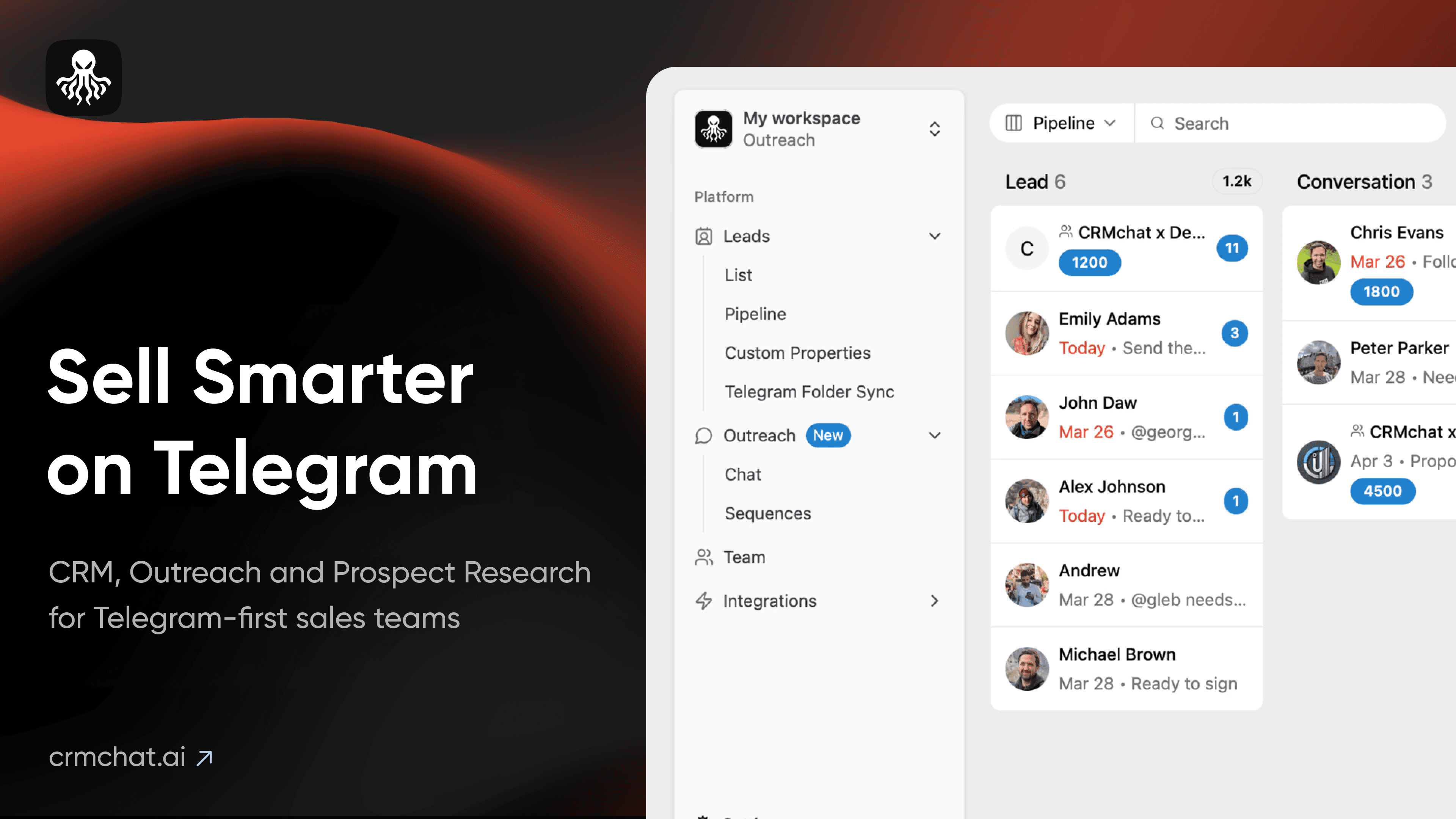
CRM Chat transforms how sales and marketing teams interact with their CRM by replacing clunky dashboards with simple conversational commands. By integrating directly with Pipedrive, HubSpot, and Salesforce, it allows users to create, update, and retrieve customer data using chat or voice messages on platforms like Telegram, WhatsApp, SMS, Web, and iOS. This means reps can log deals, check pipeline status, and manage leads without ever leaving their favorite messaging app.
Beyond basic data entry, the platform shines in automation and team coordination. Features like Telegram sales automation, image recognition for scanning leads from screenshots or QR codes, and automated daily task summaries help streamline busy sales cycles. With dedicated workspaces and team collaboration tools, CRM Chat is particularly popular among Web3 companies and outreach specialists looking to centralize sales activities in a single chat-based hub.
Capabilities & Features
- CRM
- Chatbot
- Voice interface
- Telegram CRM
- Sales automation
- Lead generation
- Team collaboration
- HubSpot integration
- Pipedrive integration
- Salesforce integration
- WhatsApp integration
- Conversational CRM
- AI Sales Assistant
Core Features
- Voice and chat-based CRM data management
- Native integration with HubSpot, Pipedrive, and Salesforce
- Telegram sales automation and outreach logic
- Image recognition for instant lead capture
- Folder Sync for automatic contact and group organization
- Team workspaces with daily task summaries
Use Cases
- Updating deal statuses via a quick voice memo while on the road
- Instantly retrieving client details by simply asking the bot
- Automating cold outreach campaigns directly through Telegram
- Converting a screenshot of a social media profile into a qualified lead
- Assigning and tracking team tasks inside a Telegram group chat
Best For
- Sales teams
- Marketing teams
- Customer support teams
- CRM managers
- Web3 companies
- Outreach specialists
Pros
- •Eliminates the need to switch between messaging apps and CRM dashboards
- •Voice command support speeds up data entry for mobile users
- •Robust automation reduces manual outreach workload
- •Unique image recognition feature simplifies lead capture from screenshots
- •Flexible platform support across Telegram, WhatsApp, SMS, and Web
Cons
- •Higher-tier automation features require a significant monthly investment
- •Multi-user team access incurs additional per-seat fees
- •Primarily optimized for Telegram, which may limit teams reliant on other channels
- •Relies on third-party CRM integrations rather than being a standalone system
How to Use
1. Connect your existing CRM account (HubSpot, Pipedrive, or Salesforce) to CRM Chat. 2. Choose your preferred messaging platform, such as Telegram or WhatsApp. 3. Use natural chat or voice commands to create contacts, update deal stages, or retrieve customer info. 4. Automate outreach sequences and parse new leads directly from chats or screenshots. 5. Assign tasks to teammates and track daily summaries within your group chats.
Frequently Asked Questions
Pricing
CRM Chat offers a robust Free 'Personal' tier, with paid plans starting at $10/month for unlimited leads, scaling up to a premium $300/month Outreach plan for advanced automation logic.
Pricing data is provided as a summary. Visit the vendor website for full tier details.