Cleanup.pictures: AI Object Removal & Photo Retouching
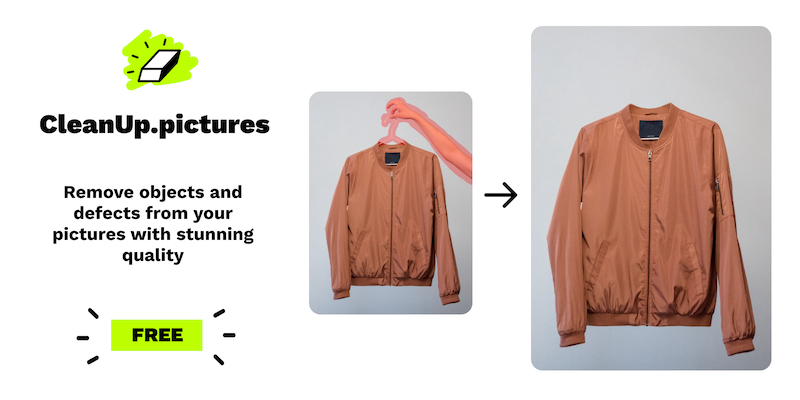
Cleanup.pictures uses AI-powered inpainting to erase unwanted objects, people, text, and watermarks from photos in just a few clicks.
Overview
Cleanup.pictures is an AI-driven retouching tool that makes removing distractions from photos as simple as brushing over them. Instead of relying on manual clone-stamp techniques found in traditional editors like Photoshop, its algorithm intelligently reconstructs what likely exists behind an unwanted object, person, or piece of text—delivering natural-looking results in seconds rather than minutes of painstaking editing. Whether you need to erase a stray tourist from a landmark shot, remove a timestamp, or scrub a watermark, the tool handles it with minimal effort.
Beyond core object removal, the platform ties into Clipdrop's broader suite of AI image tools, adding capabilities like background removal and replacement, image upscaling, and generative fill. This makes it a versatile one-stop shop for photographers, real estate agents, e-commerce sellers, and creative teams who need fast, professional-grade edits without complex software or design skills. The combination of an intuitive brush-based interface and powerful AI reconstruction puts high-end retouching within reach of casual users and professionals alike.
From depersonalizing property listings to cleaning up product photography for online stores, Cleanup.pictures streamlines workflows that would otherwise require expert editing knowledge. Its free tier makes it accessible for quick, low-resolution fixes, while paid plans unlock high-resolution exports and access to the full Clipdrop toolkit for more demanding professional use.
Capabilities & Features
- Object removal
- Photo retouching
- AI image editing
- Background removal
- Image upscaling
- Watermark removal
- Inpainting
- Generative fill
- Text remover
- Relighting
- Reimagine
- Uncrop
Core Features
- AI-powered object and person removal (inpainting)
- Text, logo, and watermark removal
- Background removal and replacement
- Image upscaling for higher resolution output
- Access to Clipdrop's expanded AI toolkit (generative fill, uncrop, and more)
- API access for developers to integrate editing into their own apps
Use Cases
- Photographers erasing tourists, timestamps, or blemishes from travel and event photos
- Real estate agents depersonalizing listing photos by removing people or personal items
- E-commerce businesses cleaning up product photography for polished storefronts
- Creative agencies and designers remixing images and building custom visuals
- Developers integrating automated image editing via the Clipdrop API
Best For
- Photographers
- Creative agencies
- Real estate agents
- E-commerce businesses
- Developers
- Social media content creators
Pros
- •AI reconstruction produces more realistic results than manual clone-stamp tools
- •No design experience or complex software required
- •Free plan available for unlimited images at standard resolution
- •Broader Clipdrop ecosystem adds background editing, upscaling, and generative fill
- •API access allows automation for developers and businesses at scale
Cons
- •Free plan caps exports at 720p, limiting use for high-quality print or professional work
- •Complex removals (large areas, intricate backgrounds) may require manual touch-ups
- •Full Clipdrop toolset pricing is separate and higher than the base Cleanup.pictures Pro plan
- •Watermark removal raises copyright concerns if used without proper image licensing
How to Use
1. Upload your image to Cleanup.pictures. 2. Use the brush tool to paint over the object, person, text, or watermark you want removed—covering slightly more area than needed, including shadows, for best results. 3. Let the AI algorithm reconstruct the covered area automatically. 4. Review the result and refine with additional brushing if needed. 5. Export your image (free users are limited to 720p; Pro users get unlimited resolution). 6. For advanced editing like background replacement or upscaling, explore the broader Clipdrop toolset via the website or API.
Frequently Asked Questions
Open in AI Studio
Ask our AI to evaluate if Cleanup.pictures fits your specific workflow.
Pricing
Cleanup.pictures offers a free plan with unlimited images at 720p resolution, a Pro plan starting around $3/month for unlimited high-resolution exports, and a separate ClipDrop Pro tier from $11/month unlocking the full AI editing suite, plus usage-based API pricing for developers.
Pricing data is provided as a summary. Visit the vendor website for full tier details.