Chat with PDF: AI Document Chat & Research Assistant
Turn any PDF into an interactive conversation—upload documents, ask questions, and get instant AI-powered answers, summaries, and insights.
Overview
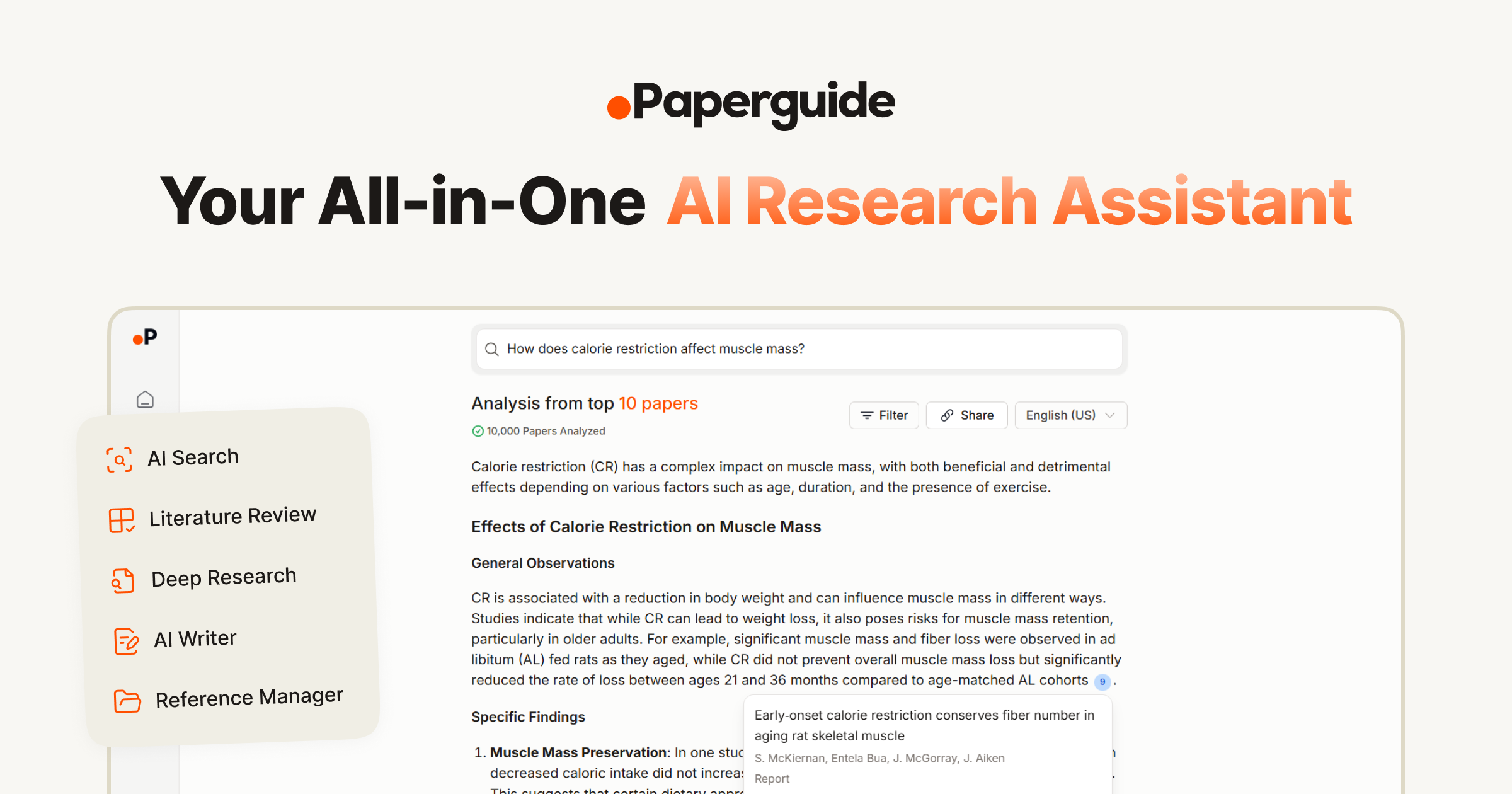
Chat with PDF (by Paperguide) transforms static documents into interactive knowledge sources. Instead of scrolling through pages of dense research papers, contracts, or textbooks, users simply upload a PDF and ask questions in plain language to receive instant, context-aware answers pulled directly from the document's content. This makes it a powerful time-saver for anyone who regularly works with lengthy or technical files.
Beyond simple Q&A, the tool is part of Paperguide's broader all-in-one AI research platform, which bundles reference management, literature review workbooks, data extraction, and AI writing assistance into a single ecosystem. This positions it as more than a one-off utility—it's a research companion built for sustained academic and professional workflows, supporting everything from initial reading to final manuscript drafting.
Whether you're a graduate student trying to digest a stack of journal articles, a lawyer parsing contract clauses, or a research team managing citations across dozens of sources, Chat with PDF aims to compress hours of manual reading into minutes of guided conversation with your own documents.
Capabilities & Features
- AI
- Chatbot
- Document Analysis
- Summarization
- Research
- Reference Management
- AI Writing
- Literature Review
- Data Extraction
Core Features
- AI-Powered PDF Interaction for natural language Q&A with documents
- AI Summaries to condense lengthy papers into key takeaways
- AI Search across uploaded documents and reference libraries
- Built-in Reference Manager with 1000+ citation styles
- Literature Review and Data Extraction workbooks with customizable columns
- Integrated AI Writer for drafting research content
Use Cases
- Researchers extracting key findings and data points from dense academic PDFs
- Lawyers simplifying complex contract language and identifying obligations
- Students interacting with textbooks and lecture PDFs to build study notes
- Teams conducting collaborative literature reviews across multiple sources
- Institutions managing citations and reference libraries at scale
Best For
- Researchers
- Lawyers
- Students
- Professionals
- Academic Teams
- Institutions
Pros
- •Enables fast, conversational access to information buried in long documents
- •Free tier includes access to nearly all core features, not just a limited demo
- •Combines document chat with a full research toolkit (citations, literature review, writing)
- •Supports multilingual queries, useful for non-English speakers
- •Strong data privacy stance with user-controlled document deletion
Cons
- •Free plan limits AI generations to 10/day and storage to 500MB, which may be restrictive for heavy users
- •Advanced features like unlimited plagiarism checks require the top-tier paid plan
- •Column limits in Literature Review/Extract Data workbooks scale with price, potentially limiting large-scale projects on lower tiers
- •As an AI-generated tool, answers may still require manual verification for critical or legal documents
How to Use
1. Sign up for a Paperguide account and select a pricing plan that fits your needs. 2. Upload the PDF or document you want to analyze. 3. Type your questions directly into the chat interface. 4. Receive instant answers sourced from the document's content. 5. Use additional tools like AI Summaries, Literature Review, or AI Writer to further process and organize your research.
Frequently Asked Questions
Open in AI Studio
Ask our AI to evaluate if Chat with PDF fits your specific workflow.
Pricing
A generous Free plan covers most core features with daily usage caps, while paid tiers start at $9/month for unlimited AI generations and scale up to $16/month for unlimited storage and plagiarism checks.
Pricing data is provided as a summary. Visit the vendor website for full tier details.