Capit: AI-Powered Caption Generator for iOS
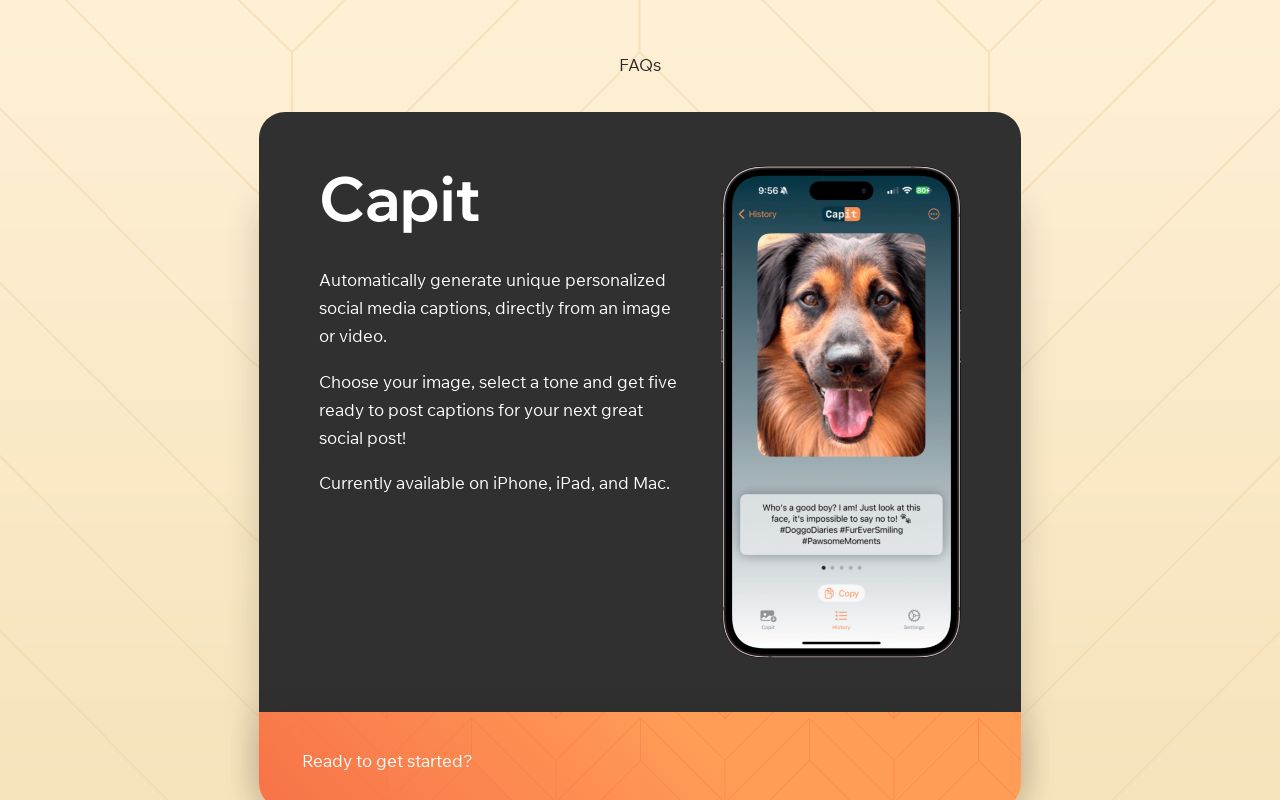
Capit is an iOS app that uses GPT4-Vision to instantly turn your photos and videos into creative, on-brand social media captions.
Overview
Capit takes the guesswork out of writing social media captions by harnessing the power of GPT4-Vision to analyze your images and videos and generate tailored text in seconds. Simply upload your content, pick a tone—whether funny, poetic, inspirational, or casual—and let Capit serve up five distinct caption options to choose from. Add hashtags and emojis with a single tap to make your posts pop across any platform.
Built natively for iPhone, iPad, and Mac, Capit is designed for creators who need to post often and post well. Beyond caption generation, the app includes a built-in editor for fine-tuning spacing, hashtags, and formatting, plus profile saving so your favorite tone and style settings are always just a click away. Whether you're managing a brand's Instagram, crafting TikTok hooks, or writing witty tweets, Capit streamlines the creative process without sacrificing personality.
Capabilities & Features
- Social media
- Caption generator
- AI
- GPT4-Vision
- iOS app
- Image caption
- Video caption
- Hashtags
- Emojis
Core Features
- AI caption generation powered by GPT4-Vision
- Multiple tone options for customized messaging
- Optional hashtag and emoji inclusion
- Built-in caption editor for fine-tuning text
- Saveable profiles for quick access to preferred settings
- AI Write feature to generate captions from a text description
Use Cases
- Generating scroll-stopping captions for Instagram posts
- Creating catchy hooks for TikTok videos
- Writing engaging updates for Facebook pages
- Crafting witty, concise captions for Twitter/X posts
- Speeding up content calendars for multiple social accounts
Best For
- Social media managers
- Content creators
- Marketing professionals
- Small business owners
- Influencers
Pros
- •Generates multiple caption options instantly, saving time
- •Tone customization helps match brand voice
- •Built-in editor allows quick refinement without leaving the app
- •Profile saving streamlines repeat use
- •Works across image and video content
Cons
- •Currently limited to iOS, iPad, and Mac with no Android or web version yet
- •Quality of captions depends on clarity of uploaded media
- •No native sharing integration yet, requiring manual copy-paste
- •Hashtag suggestions are still being refined for specificity
How to Use
1. Select an image or video from your library. 2. Choose a caption tone, such as Funny, Inspirational, Poetic, or Casual. 3. Decide whether to include hashtags and emojis. 4. Tap generate and review five AI-crafted caption suggestions. 5. Edit your favorite option using the built-in caption editor to adjust spacing, hashtags, or wording before posting.
Frequently Asked Questions
Connect & Contact
Pricing
Pricing details are not currently published; interested users should check the App Store listing for up-to-date plan options.
Pricing data is provided as a summary. Visit the vendor website for full tier details.