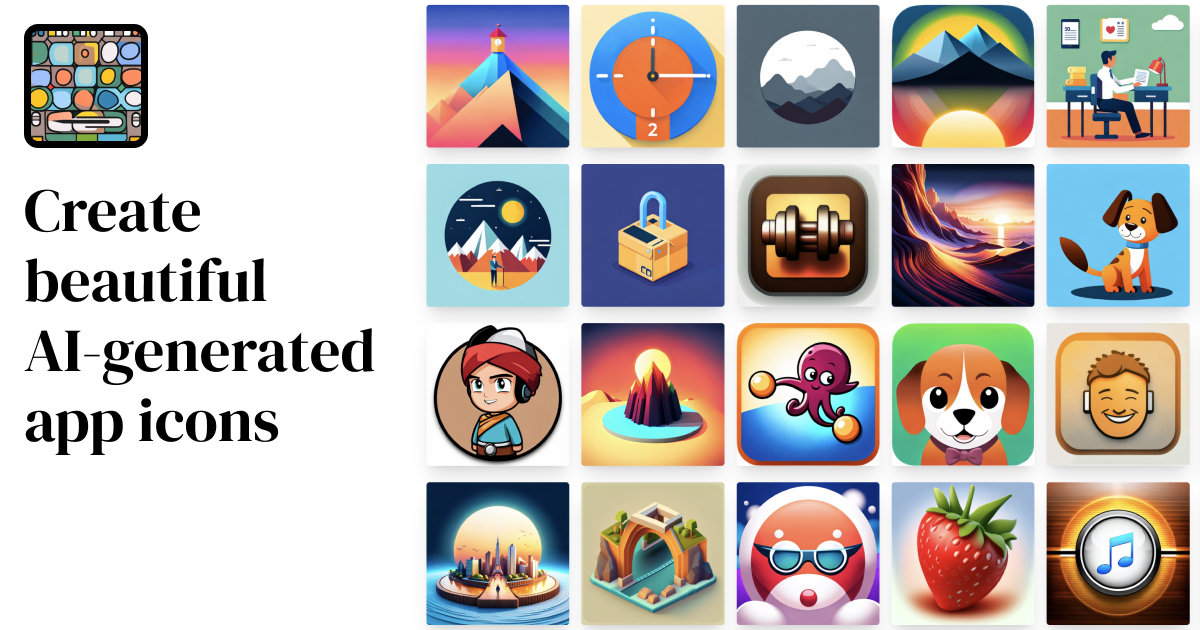
AppIcons AI: AI App Icon Generator for iOS & Android
AppIcons AI turns simple text prompts into polished, professional app icons for iOS and Android in seconds—no design skills required.
Overview
AppIcons AI is a smart icon-generation tool built for developers and designers who need standout app visuals without hiring a graphic artist. By simply describing your app and desired style, the platform's AI engine—enhanced with GPT-powered prompt refinement—produces multiple unique icon concepts you can choose from instantly. This eliminates the guesswork and time typically spent in traditional image editing software like Photoshop or Illustrator.
Once you've generated a batch of icons, AppIcons AI lets you crop, preview, and upscale your favorite design to a crisp 2048x2048 resolution, ensuring it looks sharp across every device and app store listing. Every icon comes with a commercial use license, making it safe to deploy in live products, whether for a mobile app, desktop application, or client project. It's an efficient solution for indie developers and startups who want to move fast without sacrificing visual polish.
Beyond single icon creation, the tool is also useful for teams running A/B tests on branding, since it can quickly churn out several distinct design variations for comparison. With straightforward credit-based pricing and no need for design expertise, AppIcons AI streamlines one of the most overlooked yet critical steps of app development: making a strong first visual impression.
Capabilities & Features
- AI app icon generator
- App icon design
- Mobile icon generator
- iOS icon maker
- Android icon creator
- Artificial intelligence icons
Core Features
- AI-powered icon generation from text prompts
- GPT-based prompt enhancement for better design accuracy
- Built-in customization tools including cropping and previewing
- High-resolution upscaling up to 2048x2048
- Commercial use licensing included with every generated icon
Use Cases
- Designing app icons for new iOS and Android app launches
- Creating icon assets for desktop software projects
- Generating multiple icon variations for A/B testing and stakeholder review
- Rapidly prototyping branding concepts for startup MVPs
- Refreshing outdated app icons without hiring a designer
Best For
- Mobile app developers
- Indie developers
- Startup founders
- UI/UX designers
- Solo entrepreneurs building MVPs
Pros
- •No design or image-editing skills needed to produce professional results
- •Fast generation of multiple icon options for quick decision-making
- •High-resolution upscaling ensures icons look crisp across all platforms
- •Commercial use rights included, removing licensing concerns
- •Simple credit-based pricing scales with project needs
Cons
- •Credit-based system may limit heavy or repeated experimentation on lower plans
- •No confirmed support for scalable vector (SVG) file formats
- •Exports currently limited to PNG at fixed resolutions, which may not suit all workflows
- •Customization options may be less flexible than full manual design software
How to Use
1. Describe your app concept and the icon style you want in plain text. 2. Let the AI generate multiple icon design options based on your prompt, using GPT-enhanced prompt logic for better results. 3. Customize your favorite design—crop, preview, and adjust as needed. 4. Upscale the final icon to 2048x2048 resolution for high-quality use. 5. Export and download the icon in the format required for your iOS, Android, or desktop app.
Frequently Asked Questions
Open in AI Studio
Ask our AI to evaluate if AppIcons AI fits your specific workflow.
Connect & Contact
Pricing
AppIcons AI uses a one-time credit-purchase model with three tiers—Standard ($10 for 100 credits), Plus ($25 for 300 credits), and Premium ($45 for 500 credits)—all including commercial use, cropping, previewing, and 2048x2048 upscaling.
Pricing data is provided as a summary. Visit the vendor website for full tier details.