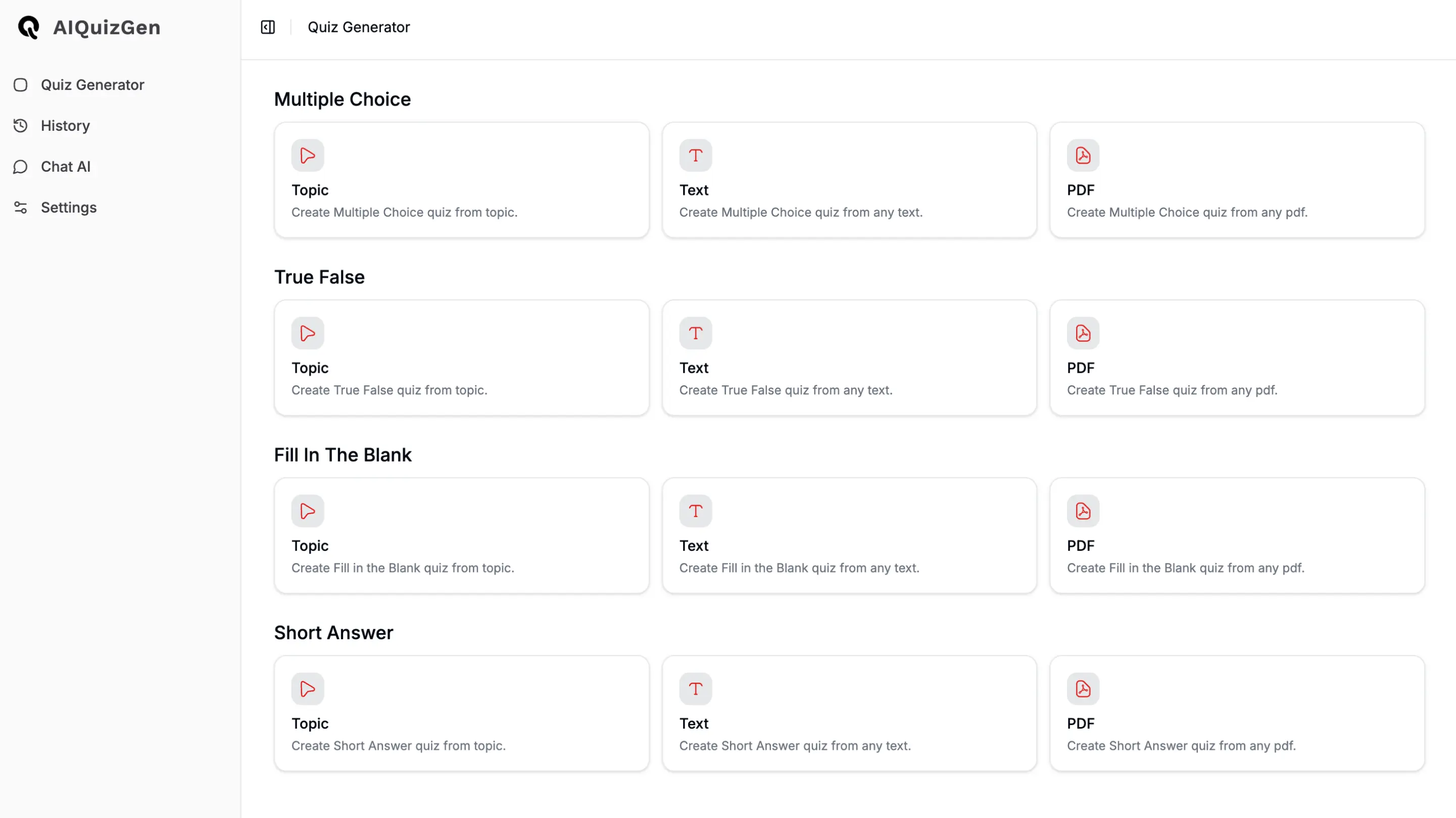
AIQuizGen: AI Quiz Maker from Text, Topics & PDFs
AIQuizGen instantly transforms any topic, text, or PDF into a polished, customizable quiz using AI—no manual question writing required.
Overview
AIQuizGen is an AI-driven quiz creation platform built to eliminate the tedious work of writing assessments from scratch. Simply feed it a topic, paste in text, or upload a PDF, and the tool analyzes the content to generate relevant, high-quality questions in seconds. Whether you need multiple choice, true/false, fill-in-the-blank, or short answer formats, AIQuizGen adapts to your preferred question style and difficulty level.
Beyond generation, the platform supports the full quiz lifecycle: customize settings, export to PDF, Word, or TXT, share via a link, or embed directly into a website using a div code. An interactive Study Mode lets learners practice and track their progress in real time, while multi-language support makes it accessible to a global audience. From classrooms to corporate training programs to engaging website content, AIQuizGen streamlines assessment creation for anyone who needs reliable quizzes fast.
Capabilities & Features
- AI quiz generator
- Quiz creation
- Assessment tool
- Learning tool
- Multiple choice questions
- True/False questions
- Fill in the blank questions
- Short answer questions
- PDF quiz generator
- Text quiz generator
- Automated quiz generation
- Study mode
- Website embedding
- Multi-language quiz
Core Features
- AI-powered quiz generation from topics, text, or PDFs
- Support for multiple question formats including MCQs, True/False, Fill in the Blank, and Short Answer
- Customizable quiz parameters like question count and difficulty
- Flexible export options: PDF, TXT, Word, and shareable links
- Interactive Study Mode with progress tracking
- Website embedding via simple div code
- Multi-language quiz generation
Use Cases
- Building quizzes quickly for classroom lessons and training sessions
- Generating casual quizzes for personal learning or entertainment
- Assessing and tracking student comprehension over time
- Boosting employee training engagement with interactive assessments
- Embedding quizzes on websites to increase visitor interaction
Best For
- Students
- Teachers
- Businesses
- Trainers
- Educators
- Content Creators
Pros
- •Dramatically speeds up quiz creation from any content source
- •Supports a wide variety of question types for diverse assessment needs
- •Flexible export and sharing options including website embedding
- •Built-in Study Mode adds value for self-paced learners
- •Multi-language support broadens usability across audiences
Cons
- •AI-generated questions may occasionally require manual review for accuracy
- •No pricing details available, making it hard to assess affordability upfront
- •Quality of quizzes may depend heavily on the clarity of source material
- •Advanced customization options may still be limited compared to manual quiz design
How to Use
1. Enter a topic, paste a block of text, or upload a PDF document. 2. Choose your quiz type (MCQs, True/False, Fill in the Blank, or Short Answer), set the number of questions, and select a difficulty level. 3. Click generate and let the AI build your quiz. 4. Review and customize the output as needed. 5. Export the finished quiz as a PDF, Word document, or shareable link—or embed it on your website.
Frequently Asked Questions
Connect & Contact
Pricing
Pricing information is not currently available; prospective users will need to check directly with AIQuizGen for plan details and costs.
Pricing data is provided as a summary. Visit the vendor website for full tier details.