AIHelperBot: AI SQL Generator & Query Optimizer Tool
AIHelperBot (SQLAI.ai) is an AI-driven SQL multi-tool that generates, optimizes, fixes, and explains SQL and NoSQL queries for both beginners and pros.
Overview
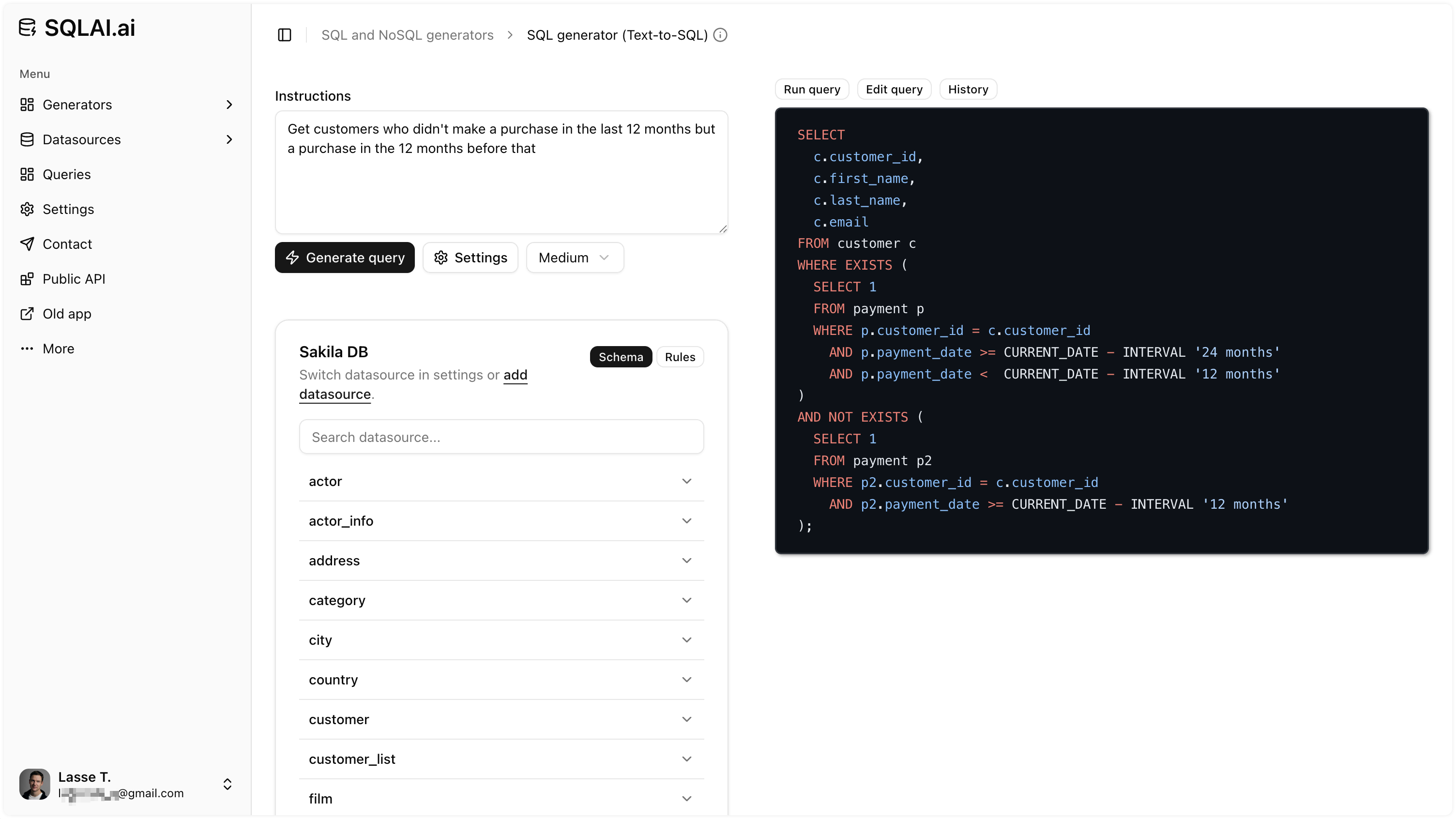
AIHelperBot, powered by SQLAI.ai, is a comprehensive SQL and NoSQL assistant built to eliminate the guesswork and grunt work of writing database queries. Using natural language input, users can generate accurate queries, optimize sluggish ones, fix syntax errors, simplify convoluted logic, and even convert queries between different database engines—all without needing deep SQL expertise. It supports over 30 SQL and NoSQL database engines and can handle massive schemas with hundreds of tables without losing accuracy or context.
Beyond query generation, the tool offers practical helper utilities like run query, format, view diff, and save query, streamlining the entire workflow from writing to execution. Users can securely connect their own data sources for tailored, context-aware results and instantly visualize output as tables or charts. With encrypted, containerized connectivity and support for custom database rules, AIHelperBot balances power with security, making it a trustworthy companion for anyone working with data—from solo developers to growing startups.
Whether you're a database administrator managing enterprise-scale schemas or a business user just trying to pull a quick report, AIHelperBot adapts to your skill level. Its explanation feature also doubles as a learning tool, helping SQL newcomers understand exactly what each generated query does, turning every interaction into a mini tutorial.
Capabilities & Features
- SQL generator
- NoSQL generator
- AI SQL
- SQL optimizer
- SQL fixer
- SQL explain
- SQL converter
- Database index
- Data insights
- Query builder
Core Features
- AI-powered SQL and NoSQL query generation from natural language
- Query optimization, syntax fixing, and simplification
- One-click formatting and cross-engine query conversion
- Database index generation for performance tuning
- Secure, encrypted data source connectivity for tailored insights
- Built-in helper tools: Run Query, View Diff, Save Query
Use Cases
- Quickly generating complex SQL queries without writing code from scratch
- Optimizing slow-performing queries for better database efficiency
- Fixing syntax errors instantly instead of manual debugging
- Learning SQL through AI-generated explanations of existing queries
- Converting queries between different database engines during migrations
- Running AI-generated queries on live data for instant business insights
Best For
- Developers
- Data analysts
- Business users
- SQL learners
- Experienced SQL practitioners
- Small business owners
- Startups
- Database administrators
Pros
- •Supports 30+ SQL and NoSQL database engines
- •Handles very large schemas (600+ tables) without losing accuracy
- •Encrypted, containerized data source connections for security
- •Includes helper tools like Run Query, Format, and View Diff for a smoother workflow
- •Explanation feature doubles as a learning aid for beginners
Cons
- •Entry plan caps usage at 200 queries per month, which may be limiting for heavy users
- •No dedicated charting tool—relies on external tools like chartmaker.io for advanced visualizations
- •Team subscription plans are not yet available for companies
- •Pricing details beyond the Explorer tier aren't clearly outlined
How to Use
1. Describe what you need in plain language (e.g., 'get all customers who ordered last month'). 2. Let AIHelperBot generate the corresponding SQL or NoSQL query. 3. Use helper tools like Format, Explain, or Optimize to refine the query. 4. Connect your database for improved accuracy and to run queries directly within the platform. 5. Click the play icon to execute the query and view results as a table or chart. 6. Save, convert, or export queries as needed for your workflow.
Frequently Asked Questions
Open in AI Studio
Ask our AI to evaluate if AIHelperBot fits your specific workflow.
Connect & Contact
Pricing
AIHelperBot starts at just $6/mo with the Explorer plan, which includes 200 queries per month—an affordable entry point for individuals and small teams.
Pricing data is provided as a summary. Visit the vendor website for full tier details.